The command line
mobium is one binary, and every command is one call to one of Mobium's
tools — the same tools an MCP client and the five language clients call, so
the command line cannot do something they cannot. This guide is how the
commands fit together: the loop, sessions and the daemon, the flags every
command takes, reading answers from a script, and exit statuses.
Every command and every line of output below is what mobium printed on
2026-09-28 against MobiumApp
on an Android 15 emulator. Where output is trimmed or a path shortened, it
says so. The full list of commands and what each takes is generated:
API.md and FLAGS.md.
1. Which devices
$ mobium --version
mobium version 0.1.0-dev

$ mobium devices
emulator-5554                          device     (android emulator, model: sdk_gphone64_arm64)
(Trimmed: the Mac also listed its iOS simulators, shut down, and a phone.)
To start one, mobium boot <avd | simulator> boots an Android emulator by its
AVD's name, or an iOS simulator by its name or UDID, and answers once it has
booted. With one device running, no command needs to be told which; with several,
--device <serial or udid> picks one, on every command.
2. A session
A session is a device made ready — its automation server started — with, optionally, an app launched fresh:
$ mobium session start --platform android --app dev.mobium.mobiumapp
waiting for the UiAutomator2 server to start...
session started on emulator-5554 (android, uiautomator2); dev.mobium.mobiumapp was launched fresh and is in the foreground

$ mobium session status
open: emulator-5554 (android, uiautomator2)
Every command after it uses that session. session end closes it, and puts
back anything it changed for the session — network conditions,
accessibility settings — and stops the app it launched:
$ mobium session end
session ended on emulator-5554; anything it changed for the session is put back; dev.mobium.mobiumapp, which the session launched, was stopped
A session is not required: any command opens one on first use. Starting one says which device and app a run is about, and ending it is how a run cleans up after itself.
3. The loop: map, act, map
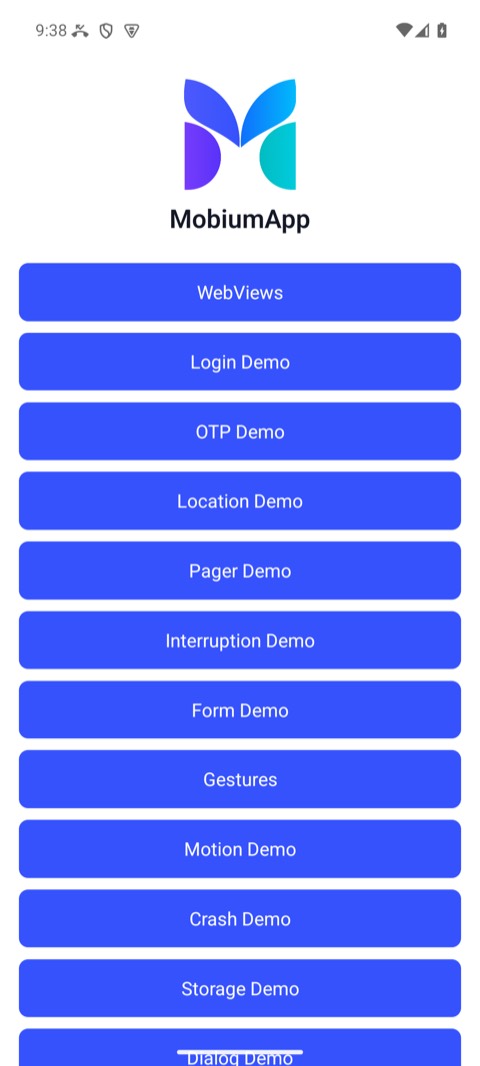
map lists what on the screen can be acted on, each with a ref:
$ mobium map
@e1 homeList (list)
@e2 WebViews (button)
@e3 Login Demo (button)
@e4 OTP Demo (button)
@e5 Location Demo (button)
@e6 Pager Demo (button)
@e7 Interruption Demo (button)
@e8 Form Demo (button)
@e9 Gestures (button)
@e10 Motion Demo (button)
@e11 Crash Demo (button)
@e12 Storage Demo (button)
@e13 Dialog Demo (button)
Act on one, and map again — the screen has changed, and refs from before belong to the screen that is gone:
$ mobium tap label=Login Demo
tapped label=Login Demo at (540, 814)

$ mobium map
@e1 ScrollView (list)
@e2 Back (button)
@e3 username (input)
@e4 password (password)
@e5 Log In (button)
Before: map lists the buttons | After the tap: the fields, and password marked as one |
|---|---|
 | 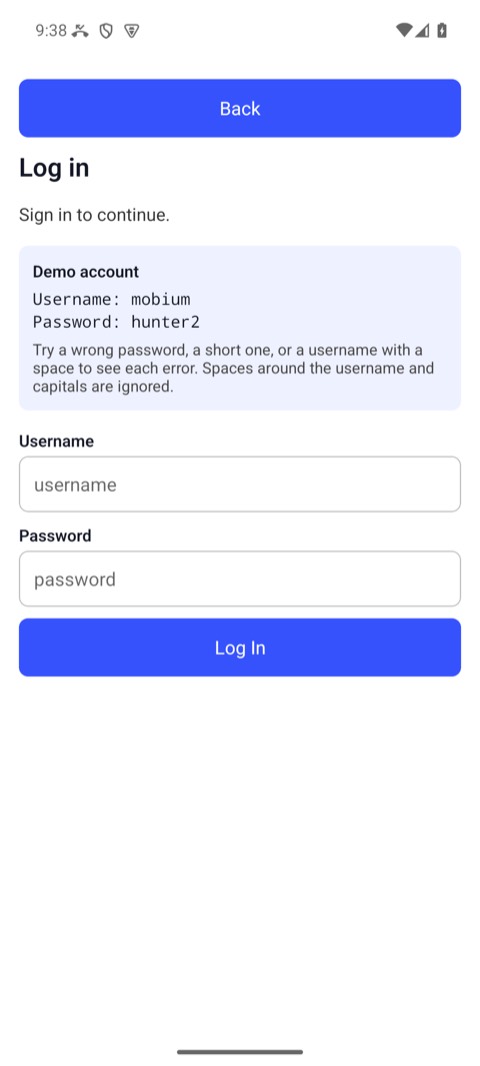 |
A password field is labeled by its id and given the role password; what is
typed into one is never printed, by map or any other command.
map --diff answers only what changed since the last map of the device —
+ appeared, - went away, ~ changed label, checked state or place — which
is what the action just did; its refs are the new map's either way.
4. Locators and refs
Anything that takes a target takes either:
- a ref from the last
map—@e3— short, and valid until the screen changes; or - a locator —
testid=username,label=Login Demo,text=Sign in,role=button— which survives across screens and runs, and is what a script or a test should use.testid=is the one that survives a translation and a redesign.
A locator that matches more than one element is refused, never guessed at;
append a role — label=Apps,role=button — or use a ref. Every action waits
for its target to be ready before it touches it — auto-wait is
the whole story.
5. Answers for a script: --json
Every command's answer has a text half, for a person, and a structured half,
which --json prints instead:
$ mobium fill testid=username mobium
typed "mobium" into testid=username

$ mobium --json find testid=username
{
  "context": "NATIVE_APP",
  "device": "emulator-5554",
  "elements": [
    {
      "bounds": {
        "x1": 42,
        "x2": 1038,
        "y1": 1027,
        "y2": 1153
      },
      "label": "mobium",
      "locator": {
        "exact": true,
        "kind": "testid",
        "value": "username"
      },
      "ref": "@e3",
      "role": "input"
    }
  ]
}
Bounds are device pixels. Read the structured half from code, never the text, which is written for a person and may change.
6. When a command fails
A failure says what happened and what to do about it, and exits with a status that says what kind of failure it was:
$ mobium tap testid=noSuchButton
error: no element matches testid=noSuchButton on the current screen — the screen may have changed, run app_map again
With --json, the same failure as data — its code, its remedy, whether
retrying could help:
$ mobium --json tap testid=noSuchButton; echo $?
{
  "error": "no element matches testid=noSuchButton on the current screen — the screen may have changed, run app_map again",
  "code": "no_such_element",
  "message": "no element matches testid=noSuchButton on the current screen — the screen may have changed, run app_map again",
  "remedy": "run app_map again, or app_scroll_to if it may be off screen",
  "retryable": false,
  "details": {
    "locator": "testid=noSuchButton"
  }
}
4
| Exit status | Codes | Meaning |
|---|---|---|
| 0 | — | it did what was asked, and checked |
| 2 | invalid_argument | the command was wrong — nothing on any device could make it work |
| 3 | no_device, device_not_ready, toolchain_missing | no device, or one not ready: locked, a dialog up, a tool missing |
| 4 | no_such_element, ambiguous_locator, element_not_reachable, no_such_context, no_such_alert | the target was not there, was two things, or could not be reached |
| 5 | unsupported | this device or driver cannot do it — retrying will not help |
| 6 | timeout | it did not happen in time — the one kind worth retrying as it is |
| 7 | not_confirmed | the command ran and reading back says it did not take — a finding |
| 1 | device_server, internal, error | the device side failed, Mobium has a bug, or the failure is unclassified — read the message |
The codes are the same in every client, as exceptions, and on the MCP wire,
in structuredContent. Adding a code is safe; renaming or removing one would
break every client that catches it, so they do not change:
| Code | Means |
|---|---|
no_device | nothing to drive |
device_not_ready | there, and not drivable yet: locked, not trusted, Developer Mode off |
toolchain_missing | missing on this machine: adb, Xcode, a signing certificate, a device agent that would not download or build |
no_such_element | a locator or ref matched nothing on screen; worth scrolling for |
ambiguous_locator | matched more than one; narrow it — Mobium never guesses |
element_not_reachable | found, and not touchable where it is |
no_such_context | a WebView context that is not there |
no_such_alert | a dialog was expected and none is up |
unsupported | this backend or platform cannot, and says why |
timeout | a wait ran out |
not_confirmed | the command said it worked and reading the state back disagreed |
invalid_argument | the request itself is wrong, or the command line was refused |
device_server | the device side failed — a device server, or adb, simctl, devicectl, lockdown — in a way no narrower code names; a server's own W3C code is in details.w3c |
internal | a bug in Mobium |
error | unclassified: a daemon too old to send a code, or a code a client does not know |
Decide by the code, never by matching the message's words: the wording can improve, the code is the contract.
7. Several steps in one call: batch
A known sequence can go as one call — from a file, or - for stdin. Every
step is checked before the first runs, and it stops at the first failure,
with that step's own error:
[
  {"name": "app_tap", "arguments": {"target": "label=Login Demo"}},
  {"name": "app_fill", "arguments": {"target": "testid=username", "text": "mobium"}},
  {"name": "app_fill", "arguments": {"target": "testid=password", "text": "hunter2"}},
  {"name": "app_tap", "arguments": {"target": "testid=loginBtn"}},
  {"name": "app_wait_for", "arguments": {"target": "testid=welcomeText"}}
]
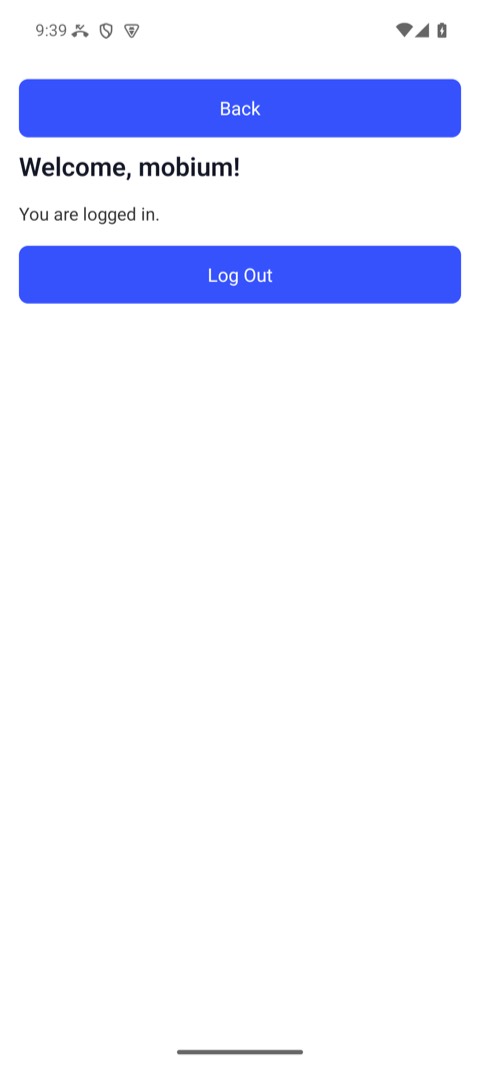
$ mobium batch steps.json
1. app_tap: tapped label=Login Demo at (540, 814)
2. app_fill: typed "mobium" into testid=username
3. app_fill: typed 7 characters into testid=password, a password field — not echoed
4. app_tap: tapped testid=loginBtn at (540, 1457)
5. app_wait_for: testid=welcomeText is visible after 1.622s
The same steps, with assertions and a report, are a test:
mobium test.
8. The daemon, and running several at once
The first command starts a daemon in the background, which holds the device sessions and the refs between commands, and exits after 30 idle minutes:
$ mobium daemon status
Daemon running (pid 4156, up 8s)
  version 0.1.0-dev
  socket  ~/.mobium/daemon/mobium.sock
(The home directory is shortened to ~ here and below.) One daemon serves
one call at a time. Two runs at once — two terminals, two CI jobs, two
devices — should each have their own, named by MOBIUM_SESSION:
$ MOBIUM_SESSION=ci-android mobium current
waiting for the UiAutomator2 server to start...
dev.mobium.mobiumapp

$ MOBIUM_SESSION=ci-android mobium daemon status
Daemon running (pid 4384, up 1s)
  version 0.1.0-dev
  socket  ~/.mobium/daemon/mobium-ci-android.sock
  session ci-android
mobium daemon stop stops one, ending its sessions — stop it before shutting
a device down, never after (SHUTDOWN.md). mobium shutdown <serial | avd | udid | simulator> ends this daemon's session on the device,
then shuts the emulator or simulator down and returns once it is gone; a
real phone is refused. It ends only its own daemon's session, so stop any
other daemon on the device first. Keep session names
short: a name is part of a socket path, which the OS caps at about 104
bytes.
The flags every command takes
| Flag | Does |
|---|---|
--device <serial or udid> | which device, when more than one is running |
--driver <name> | uiautomator2 (Android's default), uiautomator (Android, installs nothing on the device), wda (iOS simulators and iPhones), or a third-party driver |
--json | the structured answer instead of the text |
--remote <[user@]host> | drive another machine's devices, over SSH — the grid guide |
-v, --verbose | what mobium is doing, on stderr |
mobium <command> --help has each command's own flags and examples, and
mobium doctor checks the setup — the Android and iOS tools, the devices,
the daemon — and names the fix for anything wrong.