Quick start
For people who want to use Mobium: from nothing to a script that starts a session on a device, launches an app, taps something, takes a screenshot and quits — in the language you use. Contributors want DEVELOPMENT.md.
| After start | After the tap |
|---|---|
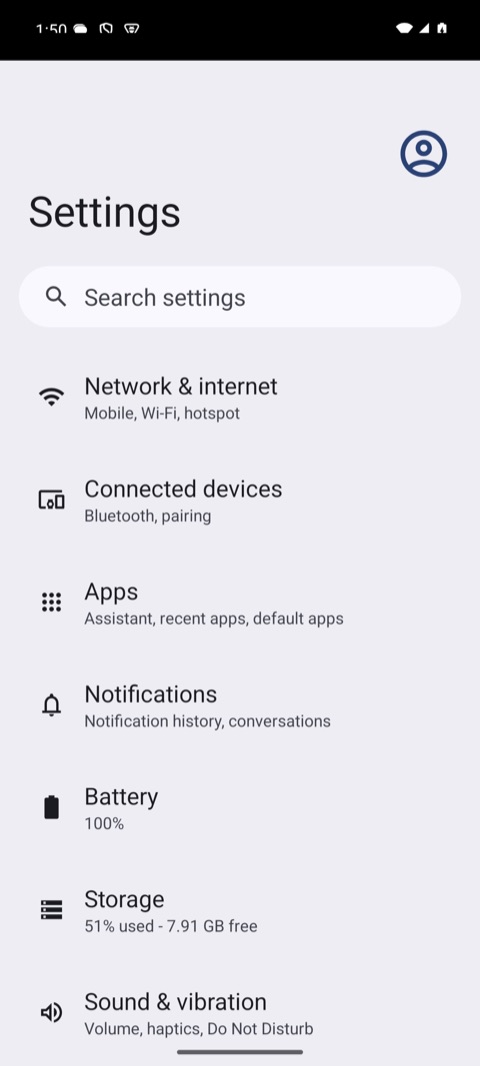 | 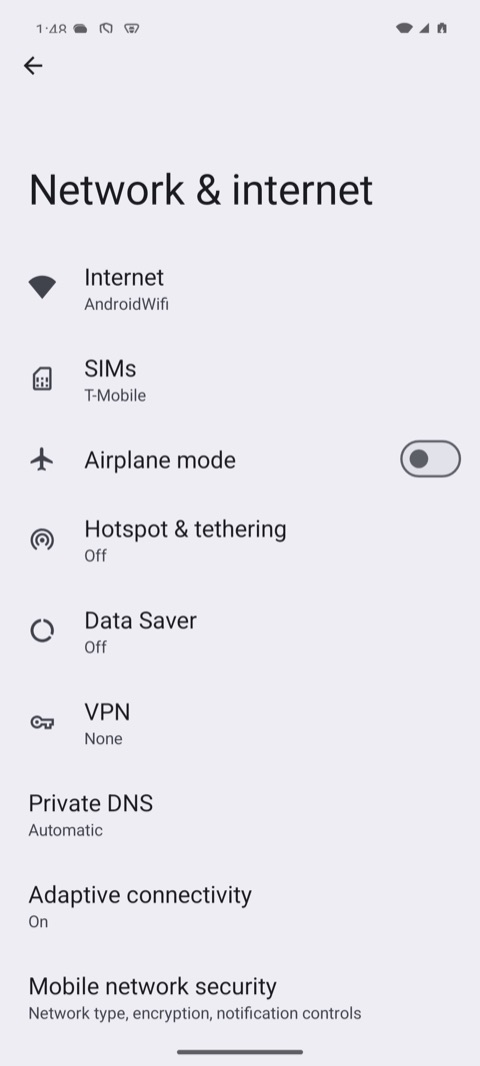 |
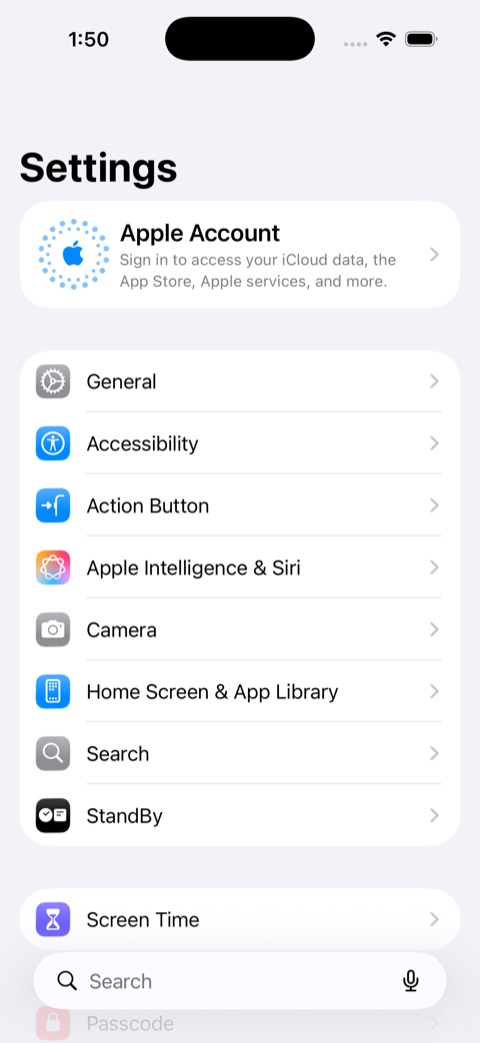 | 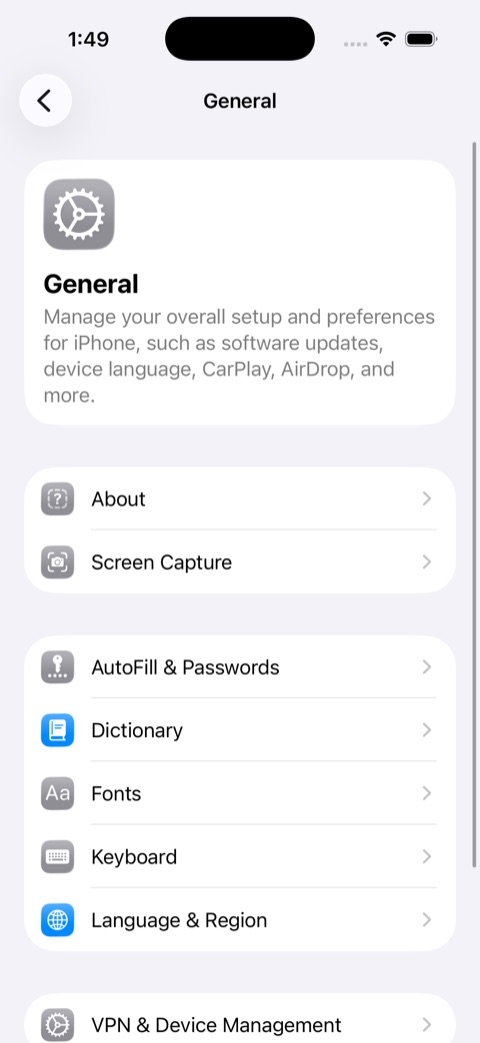 |
Pick your client once the steps below are done:
| Command line | MCP | Python | JavaScript | Go | Java | .NET |
|---|
For an agent, MCP: register mobium mcp and the agent drives the device
with Mobium's tools itself.
Every page runs the same program, and every one was run, unchanged, on an Android 15 emulator and an iOS 26.5 simulator; the output shown on each is what it printed.
Where it runs
| Android emulator or phone | iOS simulator or iPhone | |
|---|---|---|
| macOS | Yes | Yes — needs Xcode |
| Linux | Yes — every page below run on Ubuntu 24.04, x86_64, against an Android 15 emulator. SETUP.md has the emulator's Linux steps | No — iOS needs Xcode, which runs only on macOS |
| Windows | Not yet: everything that needs no device, the named-pipe daemon transport included, passes in CI on a Windows runner; no emulator or phone has been driven from Windows. See WINDOWS.md | No — no Xcode |
1. Install mobium
Until the first release there are no prebuilt binaries: mobium installs with Go 1.24 or later (go.dev/dl), and needs nothing else.
go install github.com/mobiumdev/mobium/cmd/mobium@latest
mobium --version
It lands in $(go env GOPATH)/bin; make sure that is on your PATH.
Each client page says how to install that client. Python (with git) and Go
install straight from GitHub today; JavaScript, Java and .NET need a clone of the
repository until their first release on npm, Maven Central and NuGet.
Working on Mobium itself — building from source, running the tests, sending a change? That is DEVELOPMENT.md, not this page.
2. Start a device
One device is enough. Start any of these.
Android emulator (macOS, Linux)
Install Android Studio or the
command-line tools, then create a virtual device (Device Manager in Android
Studio, or avdmanager) and boot it by name:
mobium boot <avd>
It finds the SDK's emulator itself, through ANDROID_HOME or the SDK's
usual place, and answers once Android has finished booting — not merely once
adb can see it. Add --window to watch it; it runs headless otherwise.
adb comes with the SDK's platform-tools; put it on your PATH. On Linux the
emulator needs KVM. SETUP.md has the exact
commands and two traps whose errors name the wrong cause.
Android phone
Turn on Developer options (tap Build number seven times, in About phone),
then USB debugging, plug the phone in and accept the prompt on it.
adb devices should list it as device. SETUP.md
covers Wi-Fi and what each failure means.
iOS simulator (macOS)
Install Xcode from the App Store, open it once, and add an iOS simulator runtime (Settings → Components). Then boot a simulator by name:
xcrun simctl list devices available | grep iPhone    # pick one
mobium boot "iPhone 17 Pro"
open -a Simulator                                    # to watch it; optional
iPhone (macOS)
It works with a free Apple ID, but takes a few one-time steps on the phone and in Xcode: SETUP.md. The first session builds WebDriverAgent for your phone, which takes a few minutes.
3. Check the setup
mobium doctor     # checks everything mobium needs; names the fix for anything missing
mobium devices    # lists what is attached
$ mobium devices
emulator-5554                          device     (android emulator, model: sdk_gphone64_arm64)
457C7DC2-C706-45D9-8D68-1D26953E28B1   booted     (ios simulator, iPhone 17 Pro, iOS 26.5)
…                                      shutdown   (every other simulator Xcode has)
4. Start, work, quit
Every client does the same three things:
| Start a session | Quit it | |
|---|---|---|
| Command line | mobium session start --platform android --app com.android.settings | mobium session end |
| MCP | app_session {"action": "start", "platform": "android", "app": "com.android.settings"} | app_session {"action": "end"} |
| Python | start(platform="android", app="com.android.settings") | device.quit() |
| JavaScript | await start({ platform: 'android', app: 'com.android.settings' }) | await device.quit() |
| Go | mobium.Start(ctx, mobium.WithPlatform("android"), mobium.WithApp("com.android.settings")) | device.Quit(ctx) |
| Java | Mobium.builder().platform("android").app("com.android.settings").start() | device.quit() |
| .NET | Device.Builder().Platform("android").App("com.android.settings").Start() | device.Quit() |
- Start starts the driver on the device — UiAutomator2 on Android,
WebDriverAgent on iOS — and launches the app fresh: if it was running it is
stopped first, so the session begins on the app's first screen. Its data is
kept.
platform: "ios"picks the iOS driver, so you never name one. - Everything between uses that session:
maplists what is on screen, each element with a ref such as@e5, andtap,type,waitand the rest act on refs or on locators such astext=Airplane mode. - Quit ends the session on the device and puts back anything it changed
for the session, such as accessibility settings. Python's
with, Java's try-with-resources and .NET'susingquit for you when the block ends, even after an error; a second quit does nothing.
Start is never required: any call opens a session on first use. It exists so the slow first start happens where you asked for it, and so a script says plainly where its session begins and ends.
Next
The guides: what actions wait for and refuse, writing
and running tests with mobium test, network conditions, and driving another
machine's devices.
When something goes wrong
2 devices are ready (…) — pick one with --device <serial>on Android, or2 iOS devices are available (…) — pick one with --deviceon iOS — more than one device of the session's platform is running, andstartrefuses to guess. An Android device beside an iOS one is not ambiguous. Name one:MOBIUM_DEVICE=<serial or UDID>for the examples,--deviceon the command line, or the client'sdeviceoption.mobium deviceslists them.- The first start seems stuck — it installs the UiAutomator2 server on
Android (about 40MB, once) and prints
waiting for the UiAutomator2 server to start.... On a real iPhone the first one builds WebDriverAgent, which takes minutes. - "the iOS driver is called "wda"" — you passed the old name,
webdriveragent. Usewda, or justplatform: "ios". - Anything else —
mobium doctorchecks the list of known setup problems and names the fix. SETUP.md has the rest.