mobium batch
This tool on every surface: CLI · MCP · Python · JavaScript · Go · Java · .NET
Run several tools in order, in one call
Reads a list of steps as JSON — from a file, or from stdin with - — and runs them in order on one device. Each step is a tool and its arguments, exactly as that tool takes them on its own (docs/API.md), and runs as a call of its own would: it finds its target on a fresh screen and waits as usual.
Every step is checked before the first runs, so a misspelled tool or argument refuses the batch with nothing done. It stops at the first failure, with that step's own error and exit status; nothing after it runs.
The file is a list of steps, or an object with "steps" holding one. Give the
device with --device, not in a step. A screenshot step with no path is saved
as ./screenshot-mobium screenshot would.
Usage
mobium batch <file|-> [flags]
Examples
Tap through two screens in one call
mobium batch steps.json
Printed on an Android 15 emulator:
1. app_tap: tapped text=Network & internet at (407, 867)
2. app_wait_for: text=Internet is visible after 1.222s — @e3 Internet AndroidWifi (button)
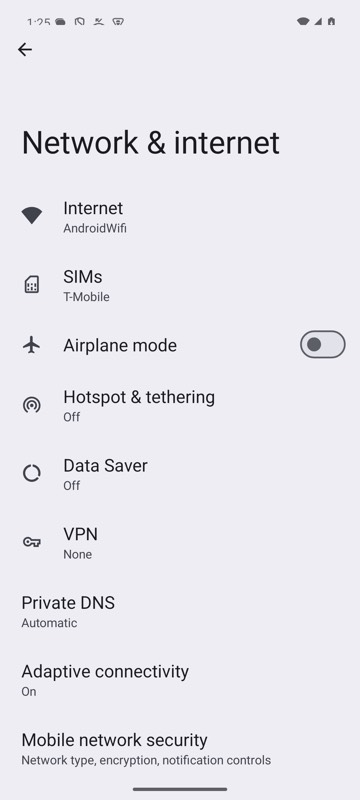
mobium batch steps.json on an Android 15 emulator
Log in to the Login Demo in one call
mobium batch login.json
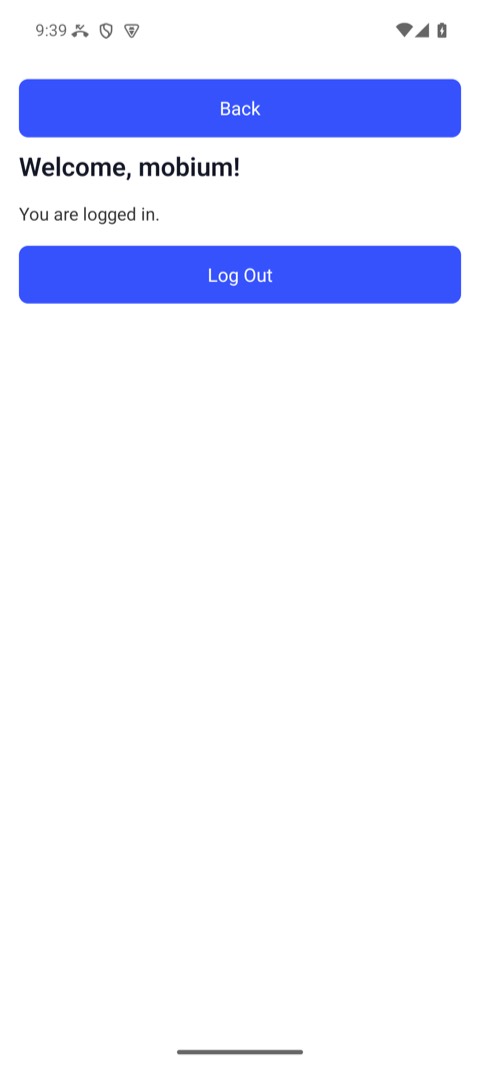
The Login Demo after a batch that filled both fields and tapped Log In — from the CLI guide
More, from mobium batch --help
mobium batch login.json

echo '[{"name": "app_tap", "arguments": {"target": "text=Sign in"}},
       {"name": "app_fill", "arguments": {"target": "testid=user", "text": "mobium"}},
       {"name": "app_wait_for", "arguments": {"target": "text=Welcome"}}]' | mobium batch -
The tool
batch calls app_batch; its arguments and what every client calls it are there.