mobium drag
This tool on every surface: CLI · MCP · Python · JavaScript · Go · Java · .NET
Drag something onto something else
Presses, holds until the thing is picked up, carries it, holds again and releases.
This is not swipe with different arguments. A swipe has no hold at
either end, which is what makes it a swipe — point it at a row in a
reorderable list and it scrolls the list rather than moving the row.
The default hold is 700ms, above Android's 500ms long-press timeout,
because that timeout is what such a list arms on. When a drag picks
nothing up, --hold-ms is the first thing to raise.
Both ends are resolved from one snapshot before anything is touched: resolving the destination afterwards would read a screen the drag is already moving.
What comes back is that the gesture was delivered and where it went.
Whether the drop was accepted is the app's own state — run map
again to see it.
Usage
mobium drag <from> <to> | drag <x1> <y1> <x2> <y2> [flags]
Flags
| Flag | Type | Default | What it does |
|---|---|---|---|
--duration-ms | int | 800 | how long the travel takes, in milliseconds |
--hold-ms | int | 700 | how long to hold at each end, in milliseconds |
And the global flags.
Examples
Drag one element onto another
mobium drag @e3 @e7
More, from mobium drag --help
mobium drag @e3 @e7
mobium drag text="Notes" testid=folder_work
mobium drag 540 1200 540 400
mobium drag @e3 @e7 --hold-ms 1200      # a list that arms slowly
On a device
| Before | After |
|---|---|
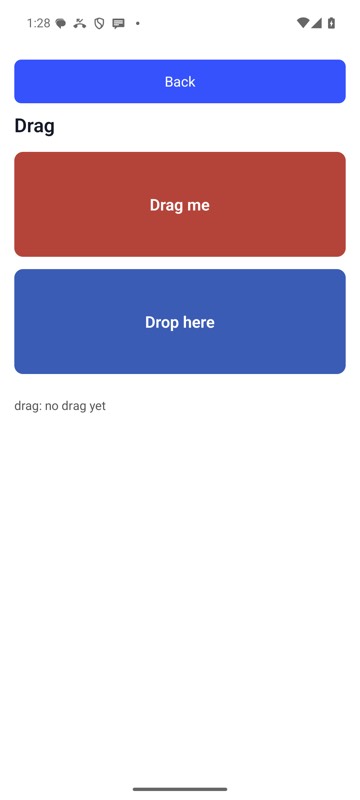 | 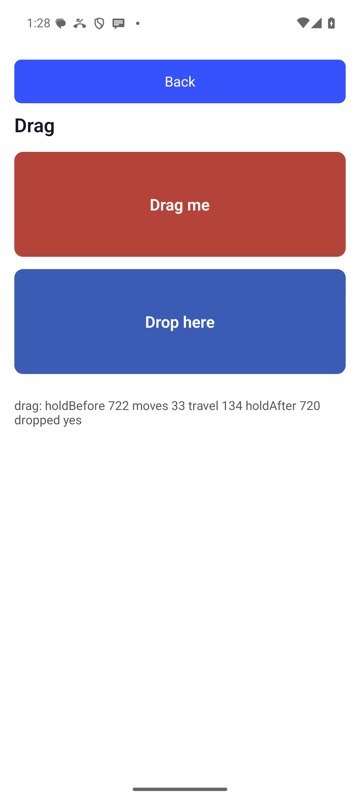 |
mobium drag 'label=Drag source' 'label=Drop zone' on an Android 15 emulator
The tool
drag calls app_drag; its arguments and what every client calls it are there.