mobium scroll-to
This tool on every surface: CLI · MCP · Python · JavaScript · Go · Java · .NET
Scroll until an element is on screen
Bring something below the fold into view. mobium map only sees what is
currently visible, and tap, type and long-press already scroll to a target
that is not on screen — so reach for this to look without acting, or to
scroll back up. It brings in the whole element when it fits, not just
the edge of it.
Usage
mobium scroll-to <@ref | locator> [flags]
Flags
| Flag | Type | Default | What it does |
|---|---|---|---|
--direction | string | Which way to look: down (default), up, left or right |
And the global flags.
Examples
Scroll down until an element is on screen
mobium scroll-to text=System
Printed on an Android 15 emulator:
text=System is on screen after 2 scrolls down — @e9 System Languages, gestures, time, backup (button)
| Before | After |
|---|---|
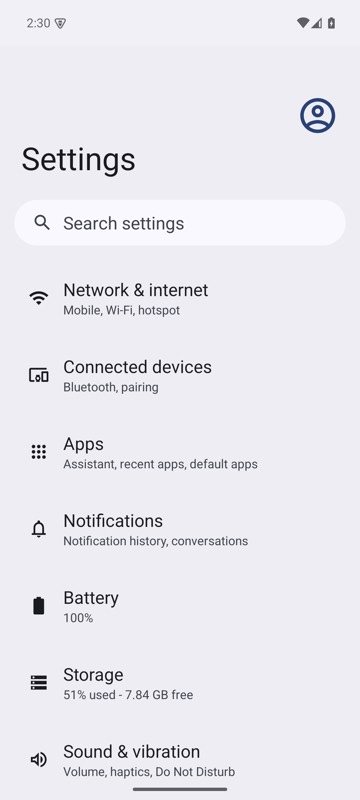 | 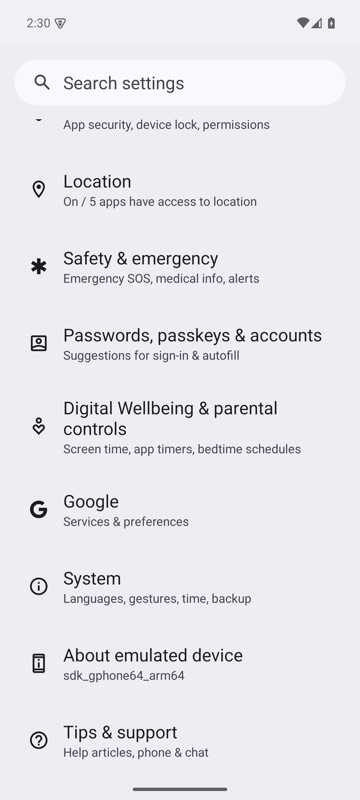 |
mobium scroll-to text=System on an Android 15 emulator
Scroll a horizontal pager
mobium scroll-to "label=Card 8" --direction right
Printed on an Android 15 emulator:
label=Card 8 is on screen after 7 scrolls right — @e5 Card 8 (button)
| Before | After |
|---|---|
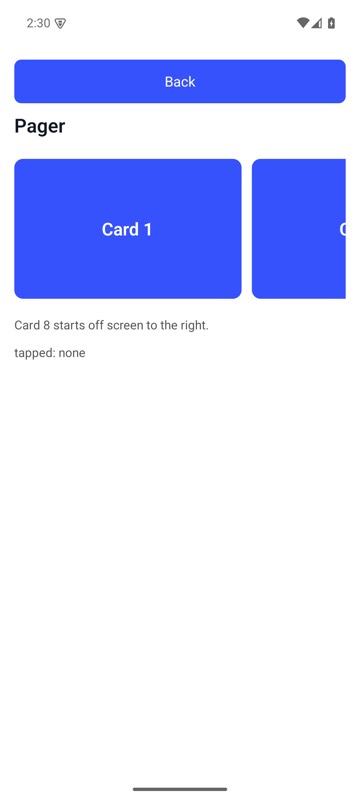 | 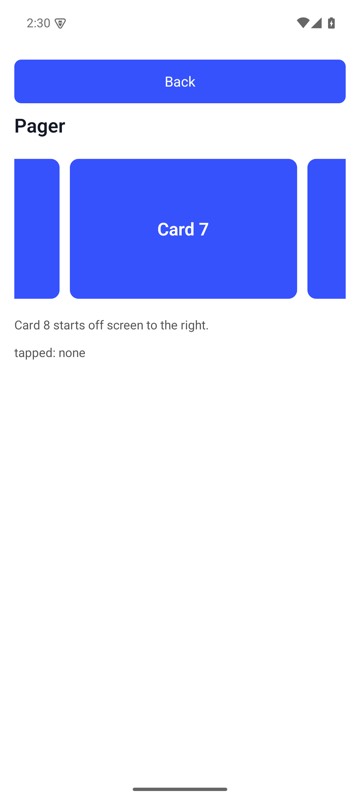 |
mobium scroll-to "label=Card 8" --direction right on MobiumApp's Pager Demo, Android 15 emulator: from Card 1 to where Card 8 is in the pager's view and can be tapped — it stops as soon as it is, so here only Card 8's left edge shows, at the right
More, from mobium scroll-to --help
mobium scroll-to "text=Sign out"
mobium scroll-to role=switch --direction up
mobium scroll-to 'label=Card 8' --direction right   # a horizontal pager
The tool
scroll-to calls app_scroll_to; its arguments and what every client calls it are there.