mobium storage
This tool on every surface: CLI · MCP · Python · JavaScript · Go · Java · .NET
Save, restore or clear the current WebView's cookies and web storage
Vibium's storage command, on a WebView — mobium context WEBVIEW_... first.
With no argument, prints the page's storage state — its cookies, and its
origin's localStorage and sessionStorage — in the shape Vibium saves, so a
state saved by one restores in the other; -o writes it to a
file. restore sets a saved state's cookies and writes each origin's
storage only into a page on that origin. clear empties all three.
Usage
mobium storage [restore <file> | clear] [flags]
Flags
| Flag | Type | Default | What it does |
|---|---|---|---|
--output -o | string | write the state to this file (created 0600: its cookies are logins) |
And the global flags.
Examples
Save the WebView's cookies and web storage
mobium storage -o state.json
Printed on an Android 15 emulator:
saved state.json
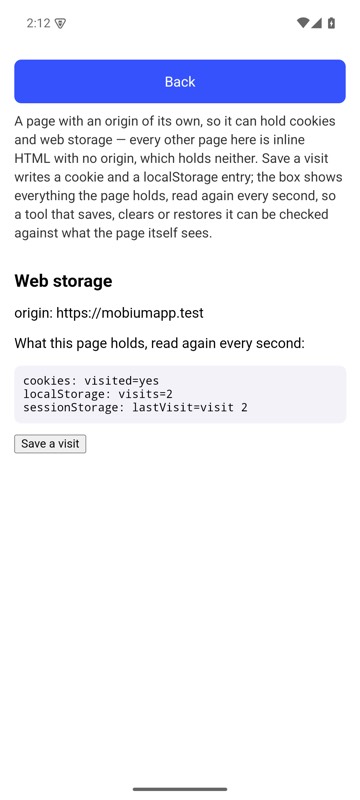
mobium storage -o state.json on an Android 15 emulator
Restore them in a later run
mobium storage restore state.json
Printed on an Android 15 emulator:
restored 1 cookie(s) and https://mobiumapp.test's storage
{
  "cookies": [
    {
      "name": "visited",
      "value": "yes",
      "domain": "mobiumapp.test",
      "path": "/",
      "expires": 1790759538.232578,
      "secure": true
    }
  ],
  "origins": [
    {
      "origin": "https://mobiumapp.test",
      "localStorage": [
        {
          "name": "visits",
          "value": "2"
        }
      ],
      "sessionStorage": [
        {
          "name": "lastVisit",
          "value": "visit 2"
        }
      ]
    }
  ]
}
| Before | After |
|---|---|
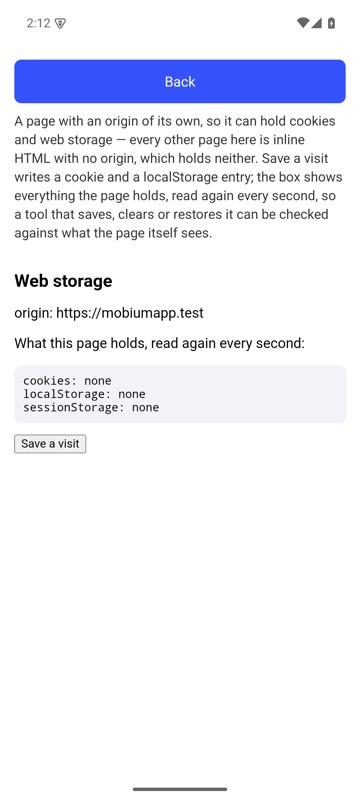 | 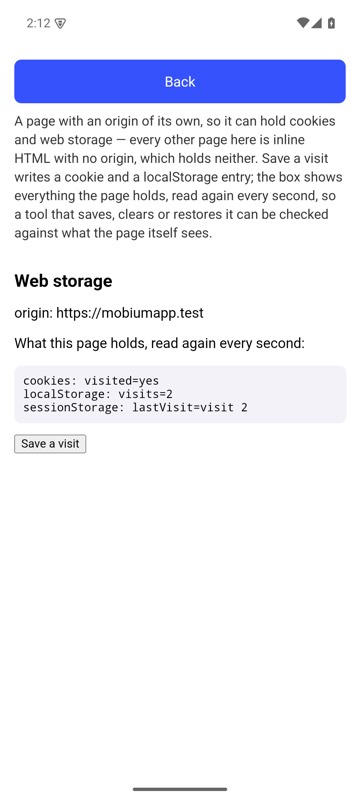 |
mobium storage restore state.json on an Android 15 emulator
More, from mobium storage --help
mobium storage -o state.json
mobium storage restore state.json
mobium storage clear
The tool
storage calls app_storage; its arguments and what every client calls it are there.