mobium upload
This tool on every surface: CLI · MCP · Python · JavaScript · Go · Java · .NET
Put a file where the device keeps downloads, for an app's file picker to find
Uploads a file from this machine to where the device keeps what a person downloads, which is where an app's file picker looks: Android's shared Download folder, or on iOS an app's own Documents folder (the app in front, or --app). On Android the file is indexed by MediaStore, which is what the picker reads, and read back there. On a real iPhone the upload is read back from the phone and its bytes compared.
--device-path sends a file or a whole folder to a path you name instead: on Android an absolute path (/sdcard/..., /data/local/tmp/...), or with --app a path in that app's private data, which Android allows only for a debuggable build; on iOS a path in the app's data container (Documents/..., Library/...). Every file's size is read back on the device.
Usage
mobium upload <file> [flags]
Flags
| Flag | Type | Default | What it does |
|---|---|---|---|
--app | string | iOS: the app whose Documents, or with --device-path whose container; Android with --device-path: the app whose private data | |
--device-path | string | send it, or a folder, to this path on the device | |
--name | string | the name to give it on the device (default: the file's own) |
And the global flags.
Examples
Send a file where the device keeps downloads
mobium upload invoice-42.txt
Printed on an Android 15 emulator:
uploaded …/invoice-42.txt to Download/invoice-42.txt (24 bytes) — confirmed by its size read back on the device, and MediaStore listing it
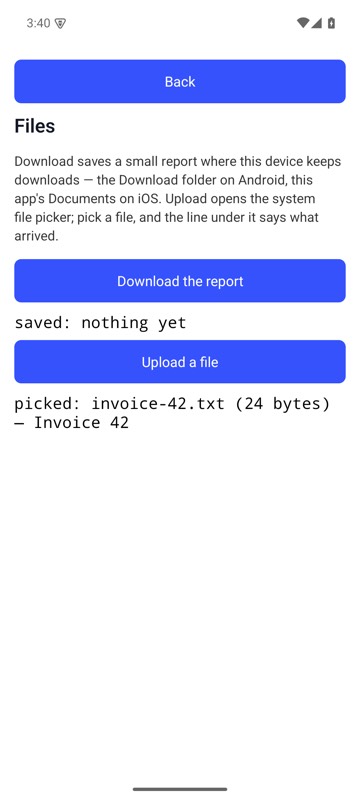
After mobium upload invoice-42.txt, the Files Demo's Upload a file opened the system picker, the file was in it, and the line under the button says the name, size and first line of what arrived — on an Android 15 emulator
Send a folder to a path on the device
mobium upload ./seed --device-path /sdcard/seed
Printed on an Android 15 emulator:
uploaded …/seed to /sdcard/seed (a folder of 2 files, 8 bytes) — confirmed by each of its 2 files' sizes read back on the device
More, from mobium upload --help
mobium upload ./fixtures/invoice.pdf
mobium upload report.csv --name q3.csv
mobium upload photo.jpg --app com.example.shop    # iOS: that app's Documents
mobium upload ./seed --device-path /sdcard/seed                      # a folder, Android
mobium upload prefs.xml --app com.example.shop --device-path shared_prefs/prefs.xml
mobium upload db.sqlite --app com.example.Shop --device-path Library/db.sqlite   # iOS
The tool
upload calls app_upload; its arguments and what every client calls it are there.