mobium zoom
This tool on every surface: CLI · MCP · Python · JavaScript · Go · Java · .NET
Pinch to zoom, about an element or the screen
Puts two fingers on the screen and moves them apart, or together
with out.
It reports that the gesture was delivered and nothing more. Neither
platform exposes a zoom level in the accessibility hierarchy, so there
is nothing to read back the way check reads a checkbox — confirming a
zoom means asking whatever was zoomed. A WebView can answer:
mobium context WEBVIEW_...
mobium eval 'visualViewport.scale'
Pinching about the wrong point scales the right amount in the wrong place, so pass --target when that matters.
A direction pinches by a default amount. --from and --to say exactly how
far the fingers travel, for a pinch sized to an element or a deliberately
small one — the same split swipe makes between a direction and exact
coordinates.
Usage
mobium zoom [in|out] [flags]
Flags
| Flag | Type | Default | What it does |
|---|---|---|---|
--from | int | half the gap between the fingers at the start, in device pixels | |
--target | string | element to pinch about (@ref or locator) | |
--to | int | half the gap at the end; larger than --from zooms in |
And the global flags.
Examples
Pinch out, to zoom in
mobium zoom in
Printed on an Android 15 emulator:
pinched in about the screen at (540, 1200), fingers 160 to 640px apart — the gesture was delivered, which is all this can confirm: neither platform reports a zoom level in the hierarchy, so ask the thing you zoomed (a WebView knows its own visualViewport.scale)
| Before | After |
|---|---|
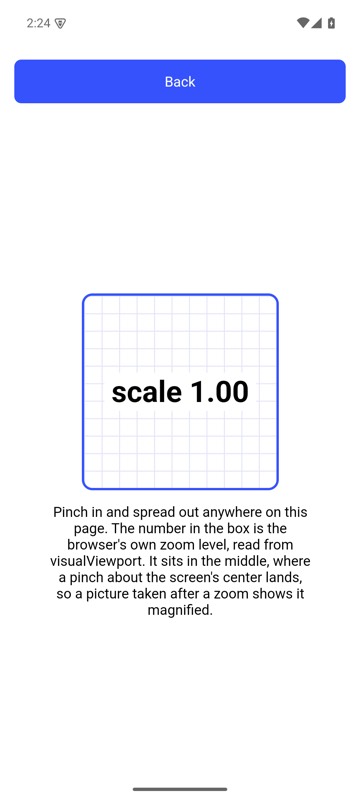 | 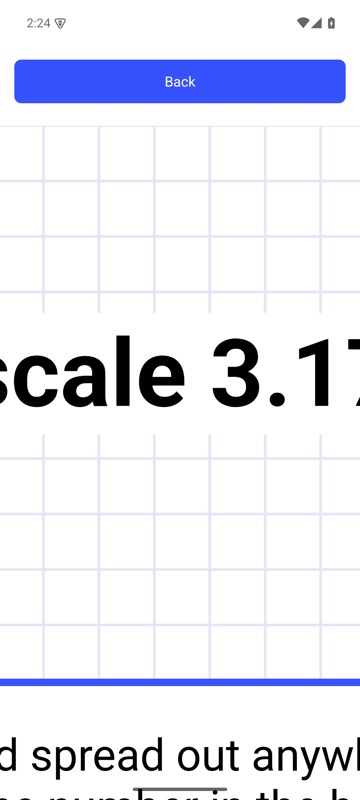 |
mobium zoom in on an Android 15 emulator
More, from mobium zoom --help
mobium zoom
mobium zoom out
mobium zoom in --target @e2
mobium zoom --from 40 --to 90      # a small pinch, in exact pixels
The tool
zoom calls app_zoom; its arguments and what every client calls it are there.