ScrollTo
This tool on every surface: CLI · MCP · Python · JavaScript · Go · Java · .NET
Scroll until an element is on screen — all of it, when it fits — then return it with a ref. These call app_scroll_to.
ScrollTo
public Element? ScrollTo(string target)
public Element? ScrollTo(string target, string direction)
Scrolls down until an element is on screen and returns it with a ref.
Scrolls "down", "up", "left" or "right"
until an element is on screen. Nothing on screen says which way a
container scrolls, so a horizontal pager needs "left" or
"right". Swiping the wrong way is not a no-op, so if a swipe
navigates instead of scrolling, it stops after one.
Examples
Scroll down until an element is on screen
var row = device.ScrollTo("text=System");
The same call from the command line, mobium scroll-to text=System, printed on an Android 15 emulator:
text=System is on screen after 2 scrolls down — @e9 System Languages, gestures, time, backup (button)
| Before | After |
|---|---|
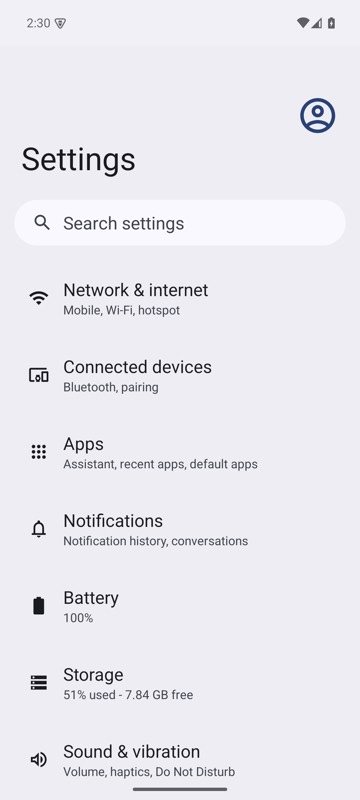 | 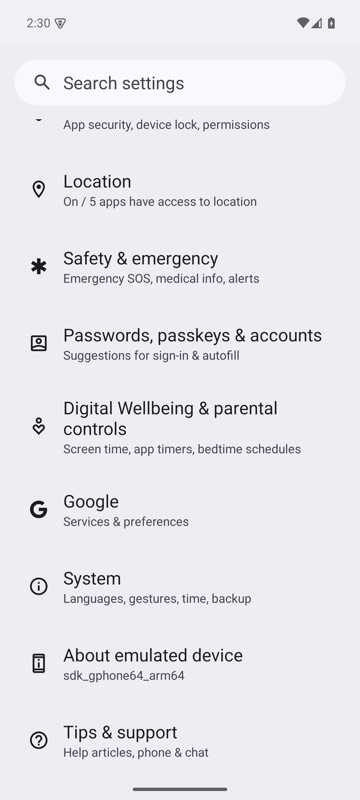 |
mobium scroll-to text=System on an Android 15 emulator
Scroll a horizontal pager
device.ScrollTo("label=Card 8", "right");
The same call from the command line, mobium scroll-to "label=Card 8" --direction right, printed on an Android 15 emulator:
label=Card 8 is on screen after 7 scrolls right — @e5 Card 8 (button)
| Before | After |
|---|---|
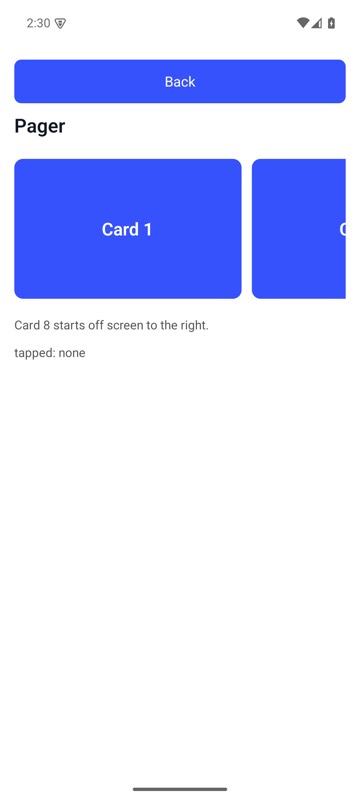 | 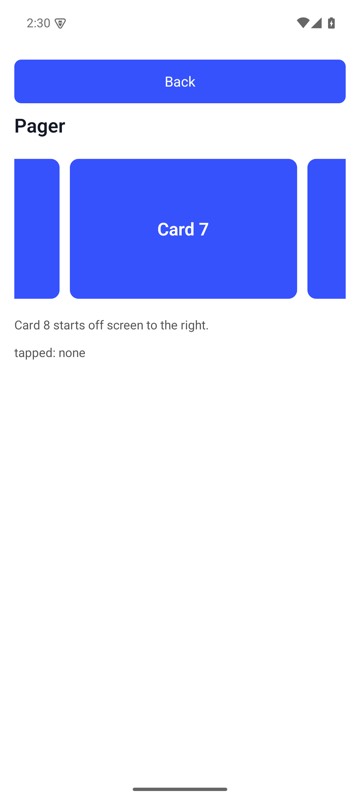 |
mobium scroll-to "label=Card 8" --direction right on MobiumApp's Pager Demo, Android 15 emulator: from Card 1 to where Card 8 is in the pager's view and can be tapped — it stops as soon as it is, so here only Card 8's left edge shows, at the right
More examples
Scroll down to an element and tap it
var row = device.ScrollTo("text=About phone");
if (row != null) device.Tap(row.Ref);