WaitFor
This tool on every surface: CLI · MCP · Python · JavaScript · Go · Java · .NET
Wait until an element appears, disappears, shows particular text, or reaches a state — enabled, checked, focused, holding a value — then return. These call app_wait_for.
WaitFor
public Element? WaitFor(string target)
public Element? WaitFor(string target, Until condition)
Waits for an element to be on screen, for up to ten seconds.
Blocks until the screen agrees, instead of sleeping. On success the
screen is remapped, so the element returned already has a ref that
can be tapped. Waiting for something to go away returns
null: there is nothing left to point at.
Examples
Wait for text to appear
var welcome = device.WaitFor("text=Welcome back");
Wait for a spinner to go
device.WaitFor("role=progressbar", Until.Hidden()); // null: nothing left to point at
Wait for a checkbox to be checked, for up to five seconds
device.WaitFor("testid=termsCheck", Until.Checked().Timeout(TimeSpan.FromSeconds(5)));
The same call from the command line, mobium wait testid=termsCheck --for checked --timeout 5s, printed on an Android 15 emulator:
testid=termsCheck is checked after 18ms — @e3 Accept terms (checkbox, checked)
More examples
Wait until an element is visible
Element? e = device.WaitFor("text=Welcome");
if (e != null) device.Tap(e.Ref);
On a device
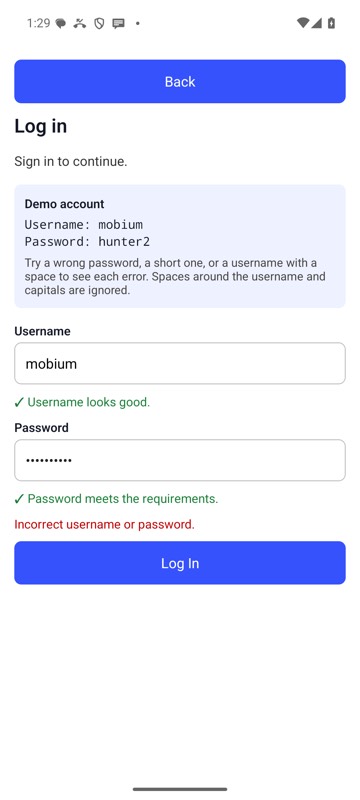
mobium wait testid=loginError --for text --text 'Incorrect username or password.' on an Android 15 emulator