Batch
This tool on every surface: CLI · MCP · Python · JavaScript · Go · Java · .NET
Run several tools in order, on one device, in one call — a known sequence such as tap, type, tap, without a round trip for each. These call app_batch.
Batch
func (d *Device) Batch(ctx context.Context, steps ...Step) ([]StepResult, error)
Batch runs several tools in order, on this device, in one call:
d.Batch(ctx, mobium.Step{Name: "app_tap", Arguments: map[string]any{"target": "text=Sign in"}}, mobium.Step{Name: "app_wait_for", Arguments: map[string]any{"target": "text=Welcome"}}, )
Every step is checked before the first runs, and the batch stops at the first failure with that step's own error; its Details hold "step" and what "completed" before it.
Examples
Tap through two screens in one call
results, err := dev.Batch(ctx,
	mobium.Step{Name: "app_tap", Arguments: map[string]any{"target": "text=Network & internet"}},
	mobium.Step{Name: "app_wait_for", Arguments: map[string]any{"target": "text=Internet"}},
)
if err != nil {
	return err
}
fmt.Println(len(results), "steps ran")
The same call from the command line, mobium batch steps.json, printed on an Android 15 emulator:
1. app_tap: tapped text=Network & internet at (407, 867)
2. app_wait_for: text=Internet is visible after 1.222s — @e3 Internet AndroidWifi (button)
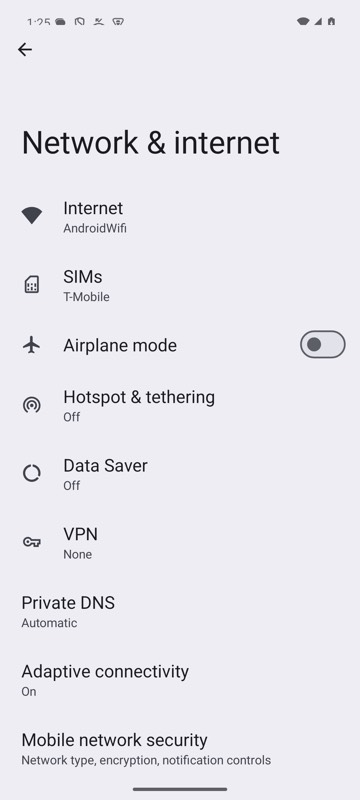
mobium batch steps.json on an Android 15 emulator