Launch · LaunchWithHitTest · LaunchWithGrayBox
This tool on every surface: CLI · MCP · Python · JavaScript · Go · Java · .NET
Bring an app to the foreground, starting it if it is not running. These call app_launch.
Launch
func (d *Device) Launch(ctx context.Context, app string) error
Launch brings an app to the foreground by package name or bundle id, and waits for it to actually be in front.
Every ref from the previous screen is discarded.
LaunchWithHitTest
func (d *Device) LaunchWithHitTest(ctx context.Context, app string) error
LaunchWithHitTest launches an app on an iOS simulator with the hit probe loaded in it, so every action on an element in it first asks UIKit where the touch goes, and is refused when it would land elsewhere — an overlay hidden from accessibility included. A real iPhone and Android refuse.
LaunchWithGrayBox
func (d *Device) LaunchWithGrayBox(ctx context.Context, app string) error
LaunchWithGrayBox launches an app with Mobium's gray-box library turned on: the app says when it is busy, and every action waits for it to be idle before finding its target. It needs an app built with the library.
Examples
Bring an app to the front
if err := dev.Launch(ctx, "com.android.settings"); err != nil {
	return err
}
The same call from the command line, mobium launch com.android.settings, printed on an Android 15 emulator:
launched com.android.settings
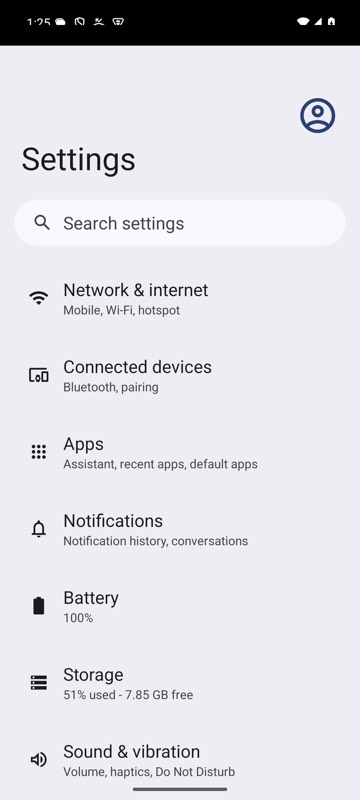
mobium launch com.android.settings on an Android 15 emulator
Launch an app with the gray box on, so every action waits for it to be idle
if err := dev.LaunchWithGrayBox(ctx, "dev.mobium.mobiumapp"); err != nil {
	return err
}
The same call from the command line, mobium launch --gray-box dev.mobium.mobiumapp, printed on an Android 15 emulator:
launched dev.mobium.mobiumapp, with the gray box: every action waits for the app to say it is idle