drag
This tool on every surface: CLI · MCP · Python · JavaScript · Go · Java · .NET
Drag and drop: press something, hold until it is picked up, carry it, and release. These call app_drag.
drag
public void drag(String from, String to)
public void drag(String from, String to, int holdMillis)
Picks one element up, carries it onto another, and drops it.
Not a swipe with two targets: a swipe has no hold at either end, so pointed at a reorderable row it scrolls the list instead of moving the row. Both ends are resolved from one snapshot before anything is touched.
Reports that the gesture was delivered. Whether the drop was accepted
is the app's own state, so call map again to see it.
@param from what to pick up: a ref from map() such as "@e5", or a locator such as "text=Sign in"
@param to where to drop it: a ref or a locator
Drags with the hold at each end spelled out, in milliseconds. Raise it first when a drag picks nothing up: the default is 700, above Android's 500ms long-press timeout, and some lists arm slower than that.
@param from what to pick up: a ref from map() such as "@e5", or a locator such as "text=Sign in"
@param to where to drop it: a ref or a locator
@param holdMillis how long to hold at each end, in milliseconds
Examples
Drag one element onto another
device.drag("@e3", "@e7");
On a device
| Before | After |
|---|---|
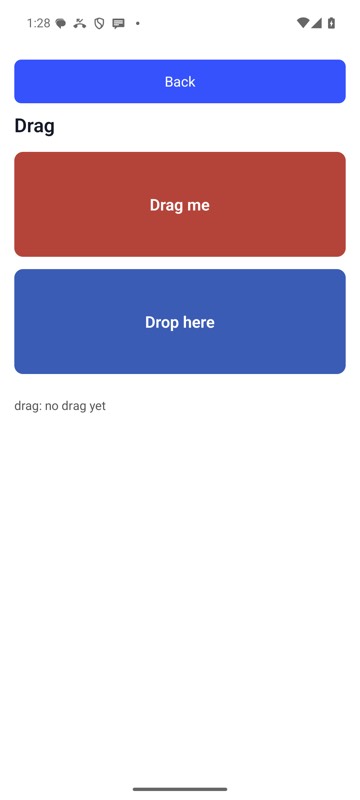 | 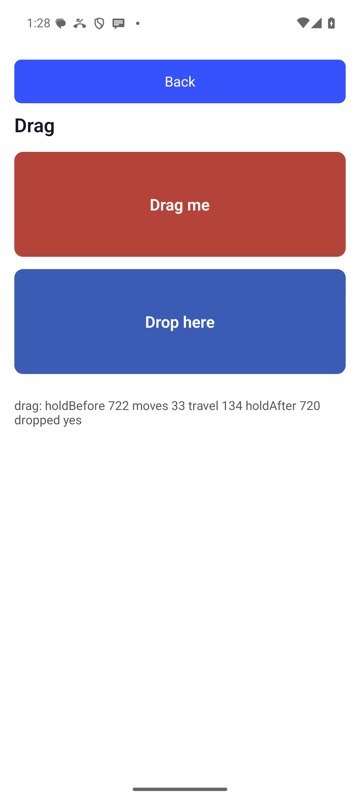 |
mobium drag 'label=Drag source' 'label=Drop zone' on an Android 15 emulator