press · back
This tool on every surface: CLI · MCP · Python · JavaScript · Go · Java · .NET
Press a hardware button. These call app_press.
press
public void press(String button)
Presses a hardware button: "back", "home",
"recents", "volume-up" or "volume-down"; a
remote's D-pad, "dpad-up", "dpad-down",
"dpad-left", "dpad-right" and "select"; or a
media key, "play-pause", "stop", "next",
"previous", "rewind" or "fast-forward". A D-pad
press reports where focus went.
On Android back is primary navigation. iOS has no back button by design and throws with what to do instead, rather than sending an edge swipe — a different event an app can tell apart. Any press can move the screen, so the refs from the last map are discarded.
@param button a button name, as listed above
back
public Map<String, Object> back()
public Map<String, Object> back(boolean gesture)
Goes back with the key and says where it went.
@return foreground, the app in front afterwards; left, the app back closed,
absent when it stayed in front; title, an iOS navigation bar's; and confirmed
Goes back and says where it went. With gesture it is a swipe in from the left edge
rather than the key: the only back iOS has, and refused on an Android device that navigates
with buttons.
@param gesture a swipe in from the left edge rather than the key
@return foreground, the app in front afterwards; left, the app back closed,
absent when it stayed in front; title, an iOS navigation bar's; and confirmed
Examples
Press Back
device.press("back");
The same call from the command line, mobium press back, printed on an Android 15 emulator:
pressed back
| Before | After |
|---|---|
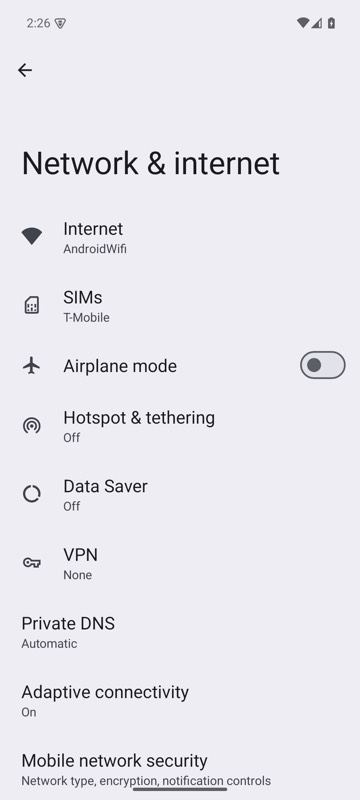 | 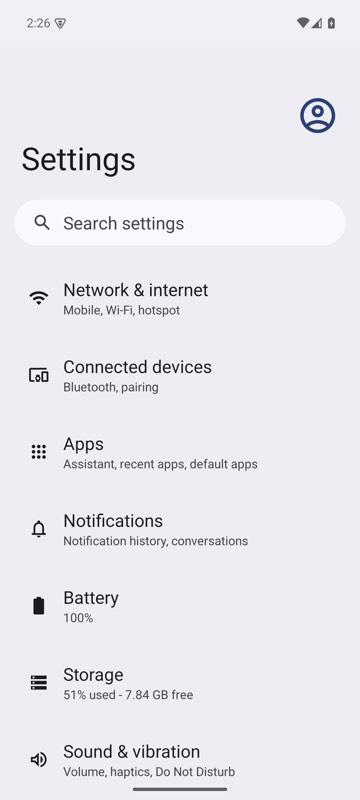 |
mobium press back on an Android 15 emulator
Go to the home screen
device.press("home");
The same call from the command line, mobium press home, printed on an Android 15 emulator:
pressed home — com.google.android.apps.nexuslauncher is in the foreground
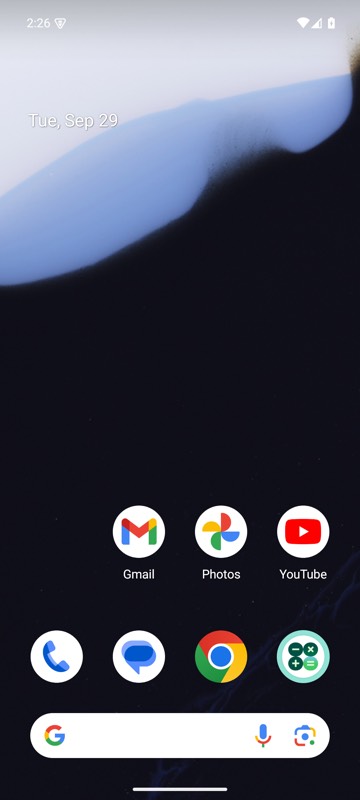
mobium press home on an Android 15 emulator
Move focus with a TV remote's D-pad
device.press("dpad-down");
The same call from the command line, mobium press dpad-down, printed on an Android 15 emulator:
pressed dpad-down — focus moved to homepage_container
Go back with a swipe in from the edge
Map<String, Object> went = device.back(true);
System.out.println(went.get("foreground") + " " + went.get("confirmed"));
The same call from the command line, mobium press back --gesture, printed on an Android 15 emulator:
swiped back from the left edge, halfway down — com.android.settings is still in the foreground; app_map shows which screen