alert · answerAlert
This tool on every surface: CLI · MCP · Python · JavaScript · Go · Java · .NET
Read a system dialog, or answer it with accept or dismiss. These call app_alert.
alert
alert(): Promise<string>
answerAlert
answerAlert(accept?: boolean, options?: { text?: string }): Promise<Data>
text is typed into a prompt's field before it is answered.
Examples
Ask whether a system dialog is up, and what it says
const text = await device.alert()
if (text) console.log(`A dialog is up: ${text}`)
The same call from the command line, mobium alert, printed on an Android 15 emulator:
a dialog is on screen: "Discard changes?\nThey will be lost."
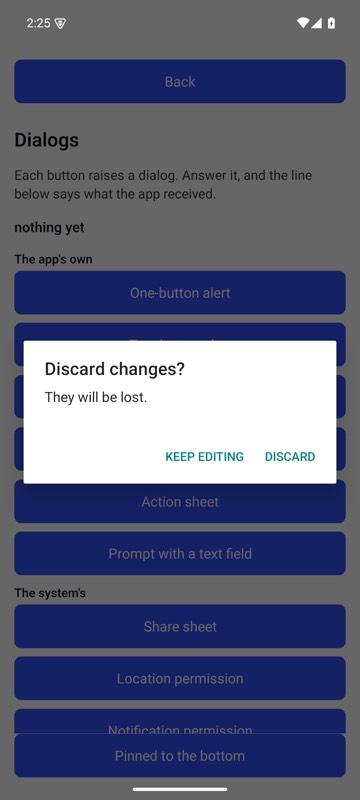
mobium alert on an Android 15 emulator
Answer it with the platform's accept button
await device.answerAlert(true)
The same call from the command line, mobium alert accept, printed on an Android 15 emulator:
accepted the dialog "Discard changes?\nThey will be lost." — this answered it and did not choose an outcome: on a permission prompt accept and dismiss do not mean grant and deny, and on iOS they are the other way round. Tap the button by ref if you need a particular answer
| Before | After |
|---|---|
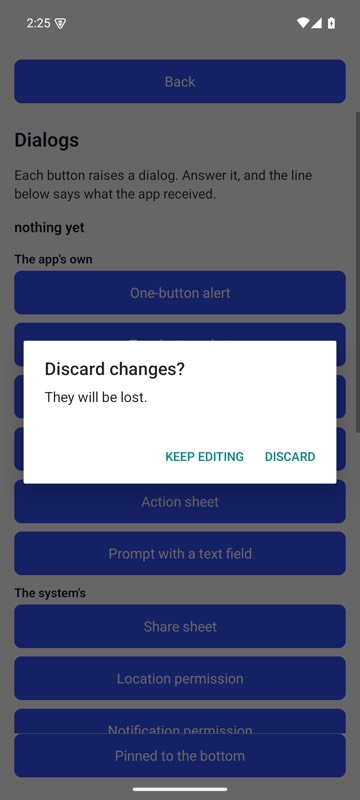 | 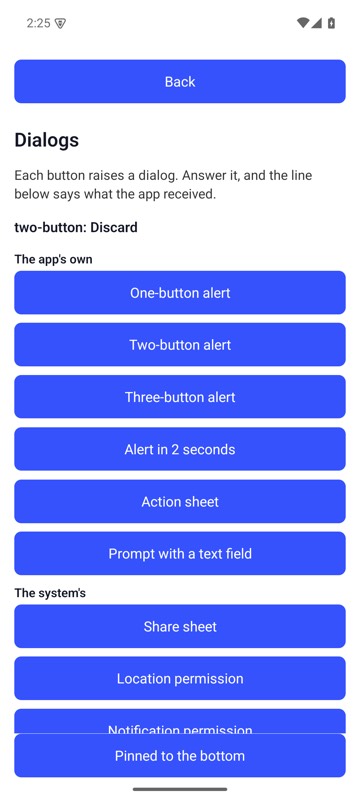 |
mobium alert accept on an Android 15 emulator
More examples
Fill a prompt's field and accept it, in one call
await device.answerAlert(true, { text: 'Groceries' })