press · back
This tool on every surface: CLI · MCP · Python · JavaScript · Go · Java · .NET
Press a hardware button. These call app_press.
press
press(button:
Press a hardware button: the device's own, a TV remote's D-pad and select, or a media key.
back
back(options?: { gesture?: boolean }): Promise<{ foreground?: string; left?: string; title?: string; confirmed: boolean }>
Go back and say where it went; gesture swipes in from the left edge instead of the key.
Examples
Press Back
await device.press('back')
The same call from the command line, mobium press back, printed on an Android 15 emulator:
pressed back
| Before | After |
|---|---|
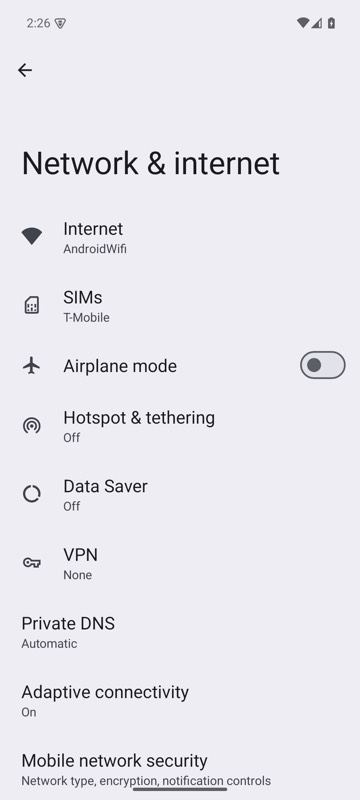 | 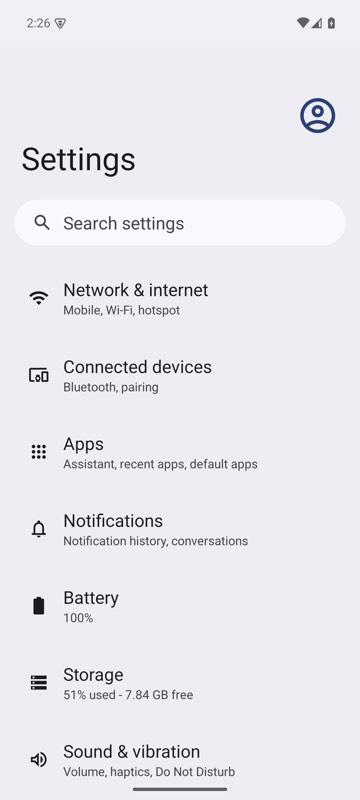 |
mobium press back on an Android 15 emulator
Go to the home screen
await device.press('home')
The same call from the command line, mobium press home, printed on an Android 15 emulator:
pressed home — com.google.android.apps.nexuslauncher is in the foreground
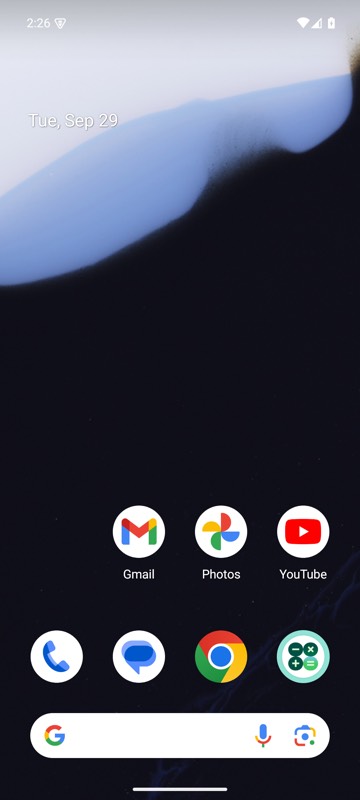
mobium press home on an Android 15 emulator
Move focus with a TV remote's D-pad
await device.press('dpad-down')
The same call from the command line, mobium press dpad-down, printed on an Android 15 emulator:
pressed dpad-down — focus moved to homepage_container
Go back with a swipe in from the edge
const went = await device.back({ gesture: true })
console.log(went.foreground, went.confirmed)
The same call from the command line, mobium press back --gesture, printed on an Android 15 emulator:
swiped back from the left edge, halfway down — com.android.settings is still in the foreground; app_map shows which screen