waitFor
This tool on every surface: CLI · MCP · Python · JavaScript · Go · Java · .NET
Wait until an element appears, disappears, shows particular text, or reaches a state — enabled, checked, focused, holding a value — then return. These call app_wait_for.
waitFor
waitFor(target: string, options?: WaitOptions): Promise<Element | null>
Resolves with the element, or null when waiting for it to go away.
Examples
Wait for text to appear
const welcome = await device.waitFor('text=Welcome back')
console.log(welcome?.ref)
Wait for a spinner to go
await device.waitFor('role=progressbar', { condition: 'hidden' })
Wait for a checkbox to be checked, for up to five seconds
await device.waitFor('testid=termsCheck', { condition: 'checked', timeoutMs: 5000 })
The same call from the command line, mobium wait testid=termsCheck --for checked --timeout 5s, printed on an Android 15 emulator:
testid=termsCheck is checked after 18ms — @e3 Accept terms (checkbox, checked)
On a device
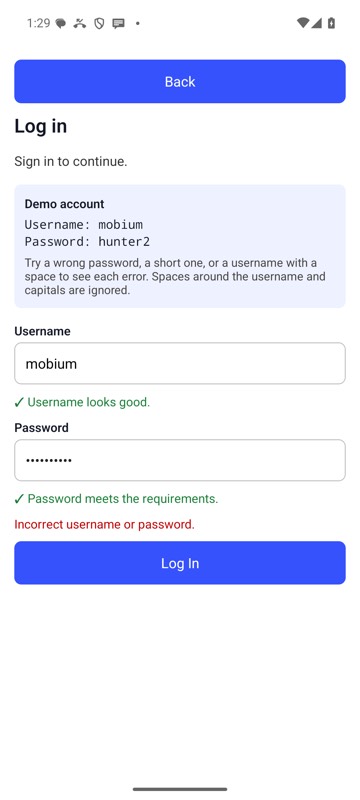
mobium wait testid=loginError --for text --text 'Incorrect username or password.' on an Android 15 emulator