app_accessibility
This tool on every surface: CLI · MCP · Python · JavaScript · Go · Java · .NET
Read the device's accessibility settings, or change one for the rest of the session: reduce_motion, bold_text, increase_contrast, reduce_transparency, button_shapes, differentiate_without_color, invert_colors, grayscale, and text size — text_size, a named category, on iOS, and text_scale, a number, on Android. Call with no argument to read them all, with a setting to read one, and with a setting and a value to change it; each change is confirmed by reading it back and put back exactly as it was when the session ends. Settings a platform lacks are refused with the reason. On a real iPhone, where nothing outside can change them, the six switches are read and set through the Settings app, about ten seconds each, and the app that was in front is brought back. Changing one invalidates the refs from the previous screen.
Changes the device, the app or the session: readOnlyHint is false.
Arguments
| Name | Type | Required | What it is |
|---|---|---|---|
device | string | Device serial to target, e.g. "emulator-5554". Omit when only one device is running. | |
driver | string: uiautomator2, uiautomator, wda | Driver to use: "uiautomator2" (default for Android; fast, installs a server APK on first use), "uiautomator" (Android, installs nothing, slower, cannot type), or "wda" (WebDriverAgent: iOS simulators and iPhones). | |
setting | string: reduce_motion, bold_text, increase_contrast, reduce_transparency, button_shapes, differentiate_without_color, invert_colors, grayscale, text_size, text_scale | Which setting. Omit to read them all. | |
value | string | "on" or "off" for a switch; a category such as "accessibility-large" for text_size; a number such as "1.3" for text_scale. Omit to read. |
Examples
Each is the arguments of a tools/call request; the first is shown whole.
Read every accessibility setting
{
  "jsonrpc": "2.0",
  "id": 1,
  "method": "tools/call",
  "params": {
    "name": "app_accessibility",
    "arguments": {}
  }
}
On an Android 15 emulator the answer's text was:
reduce_motion                off
bold_text                    off
increase_contrast            off
invert_colors                off
grayscale                    off
text_scale                   1.0
Turn bold text on for the session
{
  "setting": "bold_text",
  "value": "on"
}
On an Android 15 emulator the answer's text was:
bold_text on (was off) — put back when the session ends
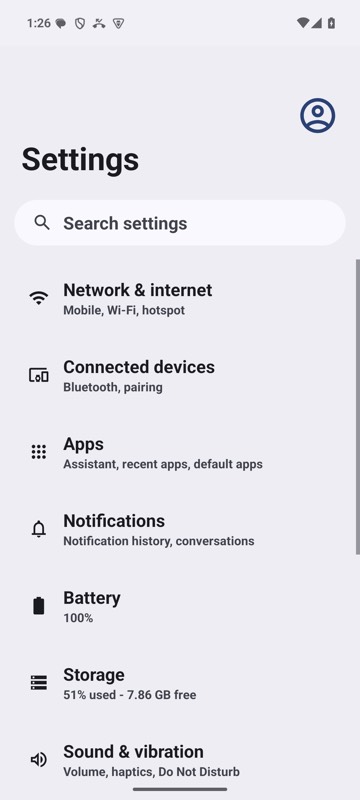
mobium accessibility bold_text on on an Android 15 emulator