app_alert
This tool on every surface: CLI · MCP · Python · JavaScript · Go · Java · .NET
Read a system dialog, or answer it with accept or dismiss. A permission prompt is not part of the app — it is another process's window, and app_current reports that process while one is up. Answered through the W3C alert endpoints rather than by tapping a button, which means it works without knowing what the buttons say: a flow that taps "While using the app" breaks the moment the device is in another language. With no action it reports whether a dialog is up and what it says; finding none is an answer rather than an error. These answer a dialog; they do not choose an outcome. On a permission prompt they do not mean grant and deny, and on iOS they are the other way round — measured on iOS 26.5, accept left the permission denied and dismiss left it granted. Which button each presses depends on the platform and the dialog: Android presses its positive and negative buttons (dismiss pressed the middle of three), iOS an alert's last and first but an action sheet's first and last, so accept on a three-button iOS alert pressed Cancel. To choose an outcome, tap the button: app_map returns them like any other element. Answering discards the refs from the last app_map, since they named a screen with a dialog over it.
Changes the device, the app or the session: readOnlyHint is false.
Arguments
| Name | Type | Required | What it is |
|---|---|---|---|
action | string: accept, dismiss, read | "accept", "dismiss", or omitted to read. | |
device | string | Device serial to target, e.g. "emulator-5554". Omit when only one device is running. | |
driver | string: uiautomator2, uiautomator, wda | Driver to use: "uiautomator2" (default for Android; fast, installs a server APK on first use), "uiautomator" (Android, installs nothing, slower, cannot type), or "wda" (WebDriverAgent: iOS simulators and iPhones). | |
text | string | Text to type into a prompt's field, sent before any action so one call can fill and confirm. A plain alert has no field and the platform says so. |
Examples
Each is the arguments of a tools/call request; the first is shown whole.
Ask whether a system dialog is up, and what it says
{
  "jsonrpc": "2.0",
  "id": 1,
  "method": "tools/call",
  "params": {
    "name": "app_alert",
    "arguments": {}
  }
}
On an Android 15 emulator the answer's text was:
a dialog is on screen: "Discard changes?\nThey will be lost."
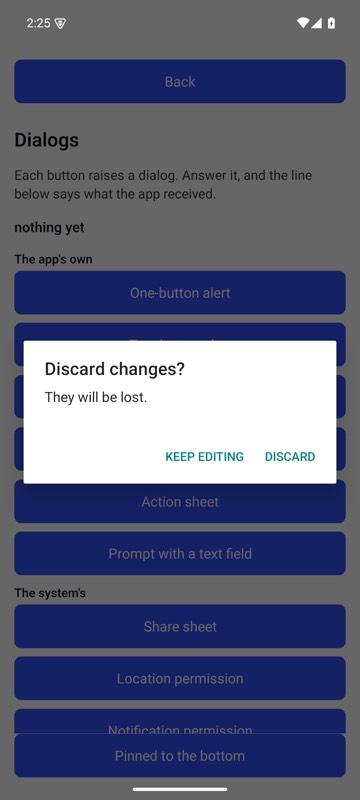
mobium alert on an Android 15 emulator
Answer it with the platform's accept button
{
  "action": "accept"
}
On an Android 15 emulator the answer's text was:
accepted the dialog "Discard changes?\nThey will be lost." — this answered it and did not choose an outcome: on a permission prompt accept and dismiss do not mean grant and deny, and on iOS they are the other way round. Tap the button by ref if you need a particular answer
| Before | After |
|---|---|
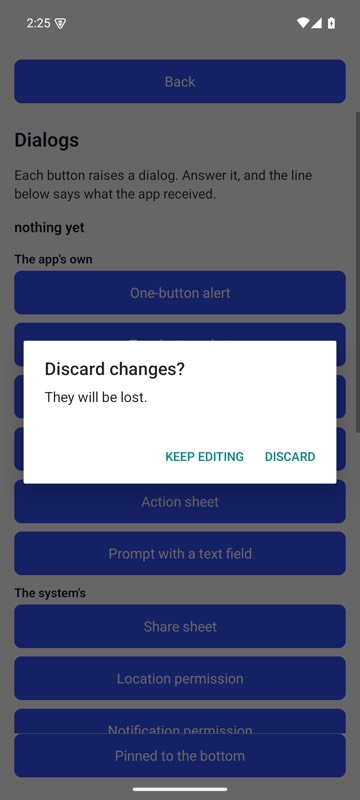 | 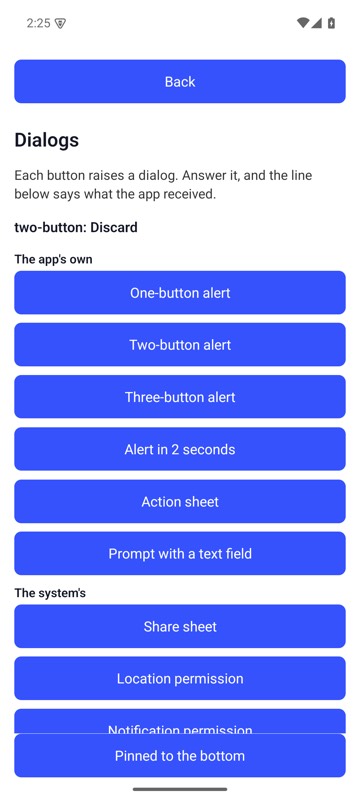 |
mobium alert accept on an Android 15 emulator