app_rotate
This tool on every surface: CLI · MCP · Python · JavaScript · Go · Java · .NET
Turn two fingers about an element or the middle of the screen. Positive degrees are clockwise. It reports that the gesture was delivered and nothing more, and this is harder to confirm than a zoom: nothing in either accessibility hierarchy reports a rotation, and there is no WebView property to ask either — a page has to compute the angle from raw touch events itself. The fingers are stepped around the arc rather than moved straight to the end, because a straight move is a chord and the platform reads it as a pinch with some rotation attached. Discards the refs from the last app_map.
Changes the device, the app or the session: readOnlyHint is false.
Arguments
| Name | Type | Required | What it is |
|---|---|---|---|
degrees | number | How far to turn, positive clockwise. Defaults to 90. | |
device | string | Device serial to target, e.g. "emulator-5554". Omit when only one device is running. | |
driver | string: uiautomator2, uiautomator, wda | Driver to use: "uiautomator2" (default for Android; fast, installs a server APK on first use), "uiautomator" (Android, installs nothing, slower, cannot type), or "wda" (WebDriverAgent: iOS simulators and iPhones). | |
radius | integer | How far each finger sits from the center, in device pixels. Defaults to 200. | |
target | string | A ref or locator to turn about. Defaults to the middle of the screen. |
Examples
Each is the arguments of a tools/call request; the first is shown whole.
Turn a map a quarter turn clockwise
{
  "jsonrpc": "2.0",
  "id": 1,
  "method": "tools/call",
  "params": {
    "name": "app_rotate",
    "arguments": {
      "degrees": 90,
      "target": "@e2"
    }
  }
}
On a device
| Before | After |
|---|---|
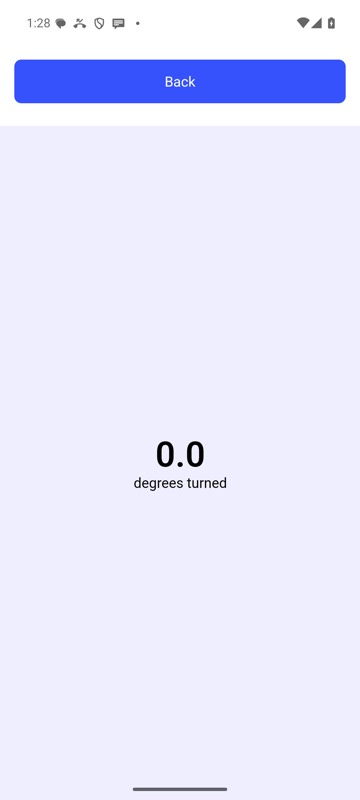 | 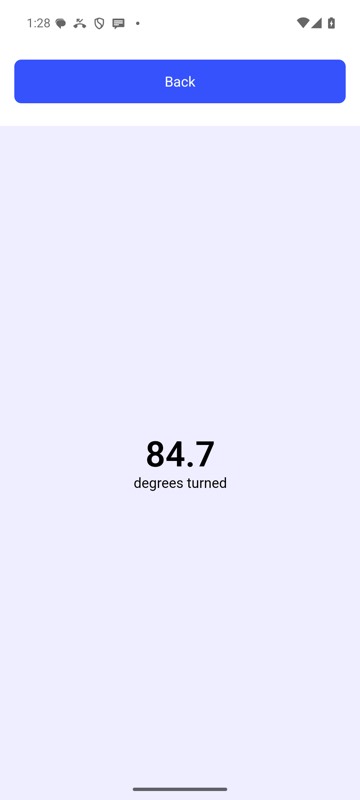 |
mobium rotate 90 on an Android 15 emulator