app_scroll_to
This tool on every surface: CLI · MCP · Python · JavaScript · Go · Java · .NET
Scroll until an element is on screen — all of it, when it fits — then return it with a ref. Use it for anything below the fold — app_map only sees what is currently visible. app_tap, app_type and app_long_press already scroll to a target that is not on screen, so call this directly only when you want to see the element without acting on it, or want to scroll up. The direction is yours to give and there is no sensible default for the axis: nothing in the hierarchy says which way a container scrolls — Android clips child bounds to the parent, so a horizontal pager and a vertical list are indistinguishable from outside. Swiping the wrong way is not a no-op; if it navigates instead of scrolling, mobium notices after one swipe and says so.
Changes the device, the app or the session: readOnlyHint is false.
Arguments
| Name | Type | Required | What it is |
|---|---|---|---|
device | string | Device serial to target, e.g. "emulator-5554". Omit when only one device is running. | |
direction | string: down, up, left, right | Which way to look: "down" (default) or "up" for a list, "right" or "left" for a pager or carousel. | |
driver | string: uiautomator2, uiautomator, wda | Driver to use: "uiautomator2" (default for Android; fast, installs a server APK on first use), "uiautomator" (Android, installs nothing, slower, cannot type), or "wda" (WebDriverAgent: iOS simulators and iPhones). | |
target | string | yes | A ref from app_map ("@e5") or a locator ("text=Sign out"). |
Examples
Each is the arguments of a tools/call request; the first is shown whole.
Scroll down until an element is on screen
{
  "jsonrpc": "2.0",
  "id": 1,
  "method": "tools/call",
  "params": {
    "name": "app_scroll_to",
    "arguments": {
      "target": "text=System"
    }
  }
}
On an Android 15 emulator the answer's text was:
text=System is on screen after 2 scrolls down — @e9 System Languages, gestures, time, backup (button)
| Before | After |
|---|---|
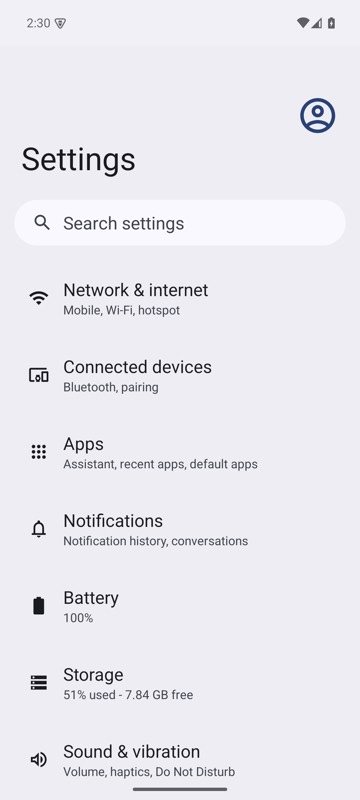 | 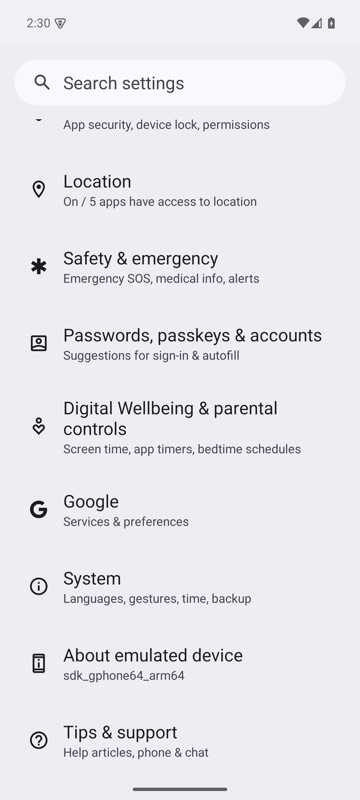 |
mobium scroll-to text=System on an Android 15 emulator
Scroll a horizontal pager
{
  "target": "label=Card 8",
  "direction": "right"
}
On an Android 15 emulator the answer's text was:
label=Card 8 is on screen after 7 scrolls right — @e5 Card 8 (button)
| Before | After |
|---|---|
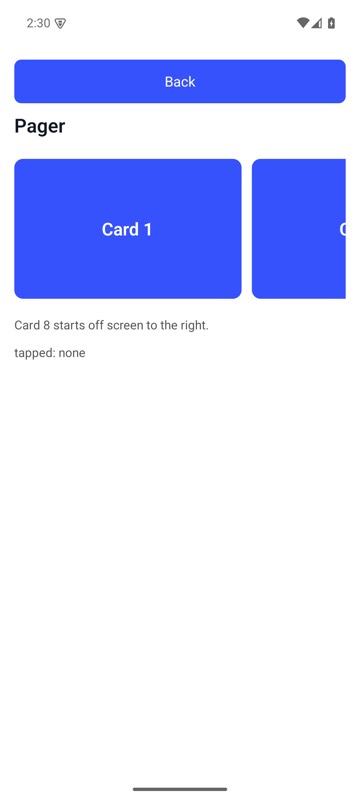 | 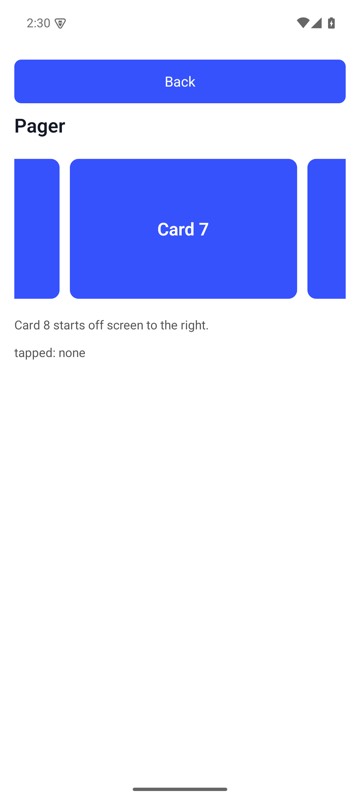 |
mobium scroll-to "label=Card 8" --direction right on MobiumApp's Pager Demo, Android 15 emulator: from Card 1 to where Card 8 is in the pager's view and can be tapped — it stops as soon as it is, so here only Card 8's left edge shows, at the right