app_swipe
This tool on every surface: CLI · MCP · Python · JavaScript · Go · Java · .NET
Swipe the screen. Give a direction (up, down, left, right) to scroll across the middle of the screen, or all four of x1/y1/x2/y2 for an exact drag. Swiping up scrolls content down, as a finger does. With a target and a direction, swipe across that element instead, after the checks app_tap makes — part of the way, which reveals a list row's swipe actions without performing the first; map again and tap the one you mean.
Changes the device, the app or the session: readOnlyHint is false.
Arguments
| Name | Type | Required | What it is |
|---|---|---|---|
device | string | Device serial to target, e.g. "emulator-5554". Omit when only one device is running. | |
direction | string: up, down, left, right | Direction to swipe. | |
driver | string: uiautomator2, uiautomator, wda | Driver to use: "uiautomator2" (default for Android; fast, installs a server APK on first use), "uiautomator" (Android, installs nothing, slower, cannot type), or "wda" (WebDriverAgent: iOS simulators and iPhones). | |
duration_ms | integer | How long the drag takes. Shorter flings further; default 300. Default 300. | |
target | string | A ref from app_map ("@e5") or a locator, to swipe across in direction. | |
x1 | integer | Start X in device pixels. | |
x2 | integer | End X in device pixels. | |
y1 | integer | Start Y in device pixels. | |
y2 | integer | End Y in device pixels. |
Examples
Each is the arguments of a tools/call request; the first is shown whole.
Swipe up, to scroll the page down
{
  "jsonrpc": "2.0",
  "id": 1,
  "method": "tools/call",
  "params": {
    "name": "app_swipe",
    "arguments": {
      "direction": "up"
    }
  }
}
On an Android 15 emulator the answer's text was:
swiped up: (540,1584) to (540,679)
| Before | After |
|---|---|
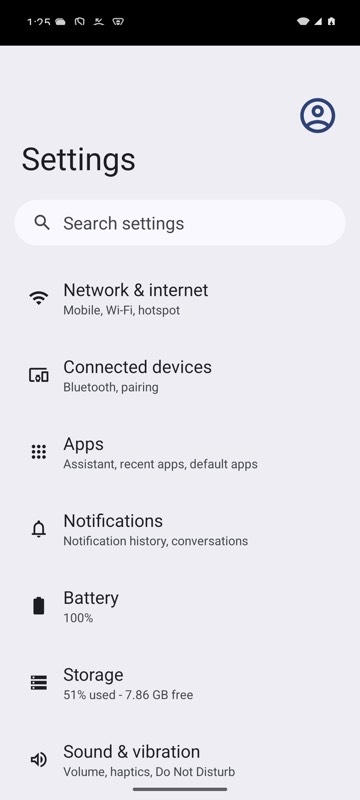 | 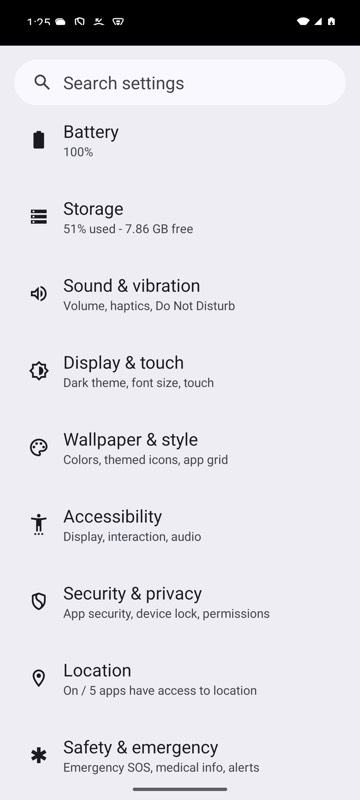 |
mobium swipe up on an Android 15 emulator