app_zoom
This tool on every surface: CLI · MCP · Python · JavaScript · Go · Java · .NET
Pinch two fingers apart or together, about an element or the middle of the screen. It reports that the gesture was delivered and nothing more. Neither platform puts a zoom level in the accessibility hierarchy, so unlike app_check there is no state to read back — confirming a zoom means asking the thing that was zoomed, and a WebView can answer with visualViewport.scale through app_eval. Pinching about the wrong point scales the right amount in the wrong place, so pass a target when one matters. A direction pinches by a default amount; from and to say exactly how far the fingers travel, the way app_swipe takes either a direction or coordinates. Discards the refs from the last app_map, since anything on screen may now be a different size.
Changes the device, the app or the session: readOnlyHint is false.
Arguments
| Name | Type | Required | What it is |
|---|---|---|---|
device | string | Device serial to target, e.g. "emulator-5554". Omit when only one device is running. | |
direction | string: in, out | "in" (default) to zoom in, "out" to zoom out. | |
driver | string: uiautomator2, uiautomator, wda | Driver to use: "uiautomator2" (default for Android; fast, installs a server APK on first use), "uiautomator" (Android, installs nothing, slower, cannot type), or "wda" (WebDriverAgent: iOS simulators and iPhones). | |
from | integer | Half the distance between the fingers at the start, in device pixels. Give with to instead of a direction, for a pinch of a particular size — one sized to an element, or deliberately small. | |
target | string | A ref or locator to pinch about. Defaults to the middle of the screen. | |
to | integer | Half the distance between the fingers at the end. Larger than from zooms in, smaller zooms out. Keep the difference above about 100 device pixels: a shorter travel is below the platform's own threshold and is ignored — measured, 50px of travel left the scale unchanged and 100px moved it to 1.42. |
Examples
Each is the arguments of a tools/call request; the first is shown whole.
Pinch out, to zoom in
{
  "jsonrpc": "2.0",
  "id": 1,
  "method": "tools/call",
  "params": {
    "name": "app_zoom",
    "arguments": {
      "direction": "in"
    }
  }
}
On an Android 15 emulator the answer's text was:
pinched in about the screen at (540, 1200), fingers 160 to 640px apart — the gesture was delivered, which is all this can confirm: neither platform reports a zoom level in the hierarchy, so ask the thing you zoomed (a WebView knows its own visualViewport.scale)
| Before | After |
|---|---|
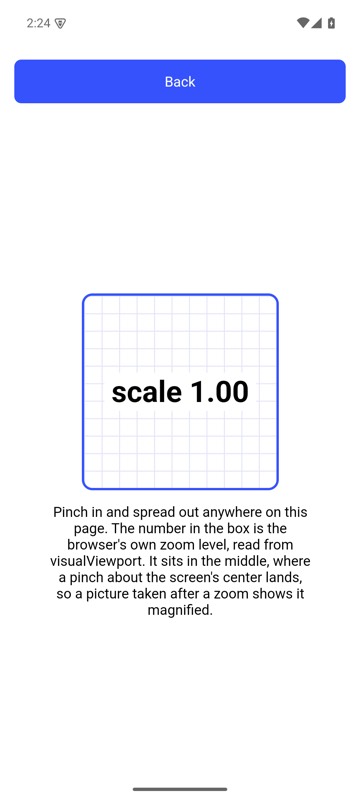 | 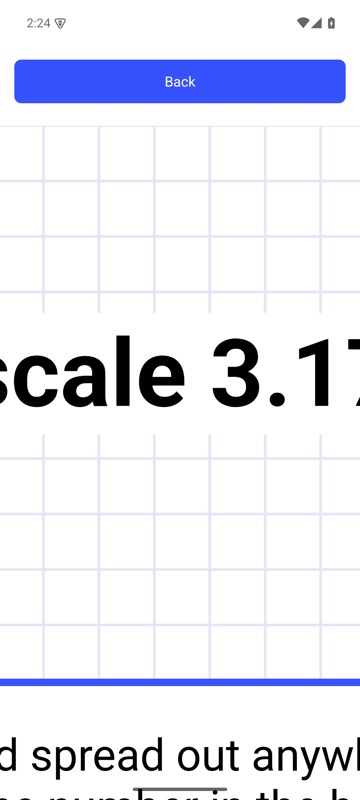 |
mobium zoom in on an Android 15 emulator