alert · answer_alert
This tool on every surface: CLI · MCP · Python · JavaScript · Go · Java · .NET
Read a system dialog, or answer it with accept or dismiss. These call app_alert.
alert
def alert() -> str
What a system dialog says, or "" when none is up.
A permission prompt is another process's window, not the app's, and reading it needs no knowledge of what the buttons say.
answer_alert
def answer_alert(accept: bool=True, text: str | None=None) -> dict
Accept or dismiss a system dialog.
These answer a dialog; they do not choose an outcome. On a permission prompt they do not mean grant and deny, and on iOS they are the other way round — accept leaves it denied and dismiss leaves it granted, because W3C accept presses the affirmative button and Apple puts "Don't Allow" last. Tap the button by ref for a particular answer.
text is typed into a prompt's field first, so one call fills and answers it. A plain alert has no field, and the platform refuses it.
Examples
Ask whether a system dialog is up, and what it says
text = device.alert()
if text:
    print("dialog up:", text)
The same call from the command line, mobium alert, printed on an Android 15 emulator:
a dialog is on screen: "Discard changes?\nThey will be lost."
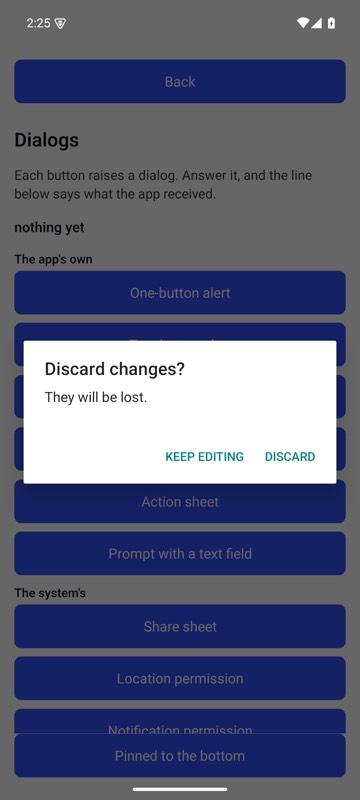
mobium alert on an Android 15 emulator
Answer it with the platform's accept button
device.answer_alert(accept=True)
The same call from the command line, mobium alert accept, printed on an Android 15 emulator:
accepted the dialog "Discard changes?\nThey will be lost." — this answered it and did not choose an outcome: on a permission prompt accept and dismiss do not mean grant and deny, and on iOS they are the other way round. Tap the button by ref if you need a particular answer
| Before | After |
|---|---|
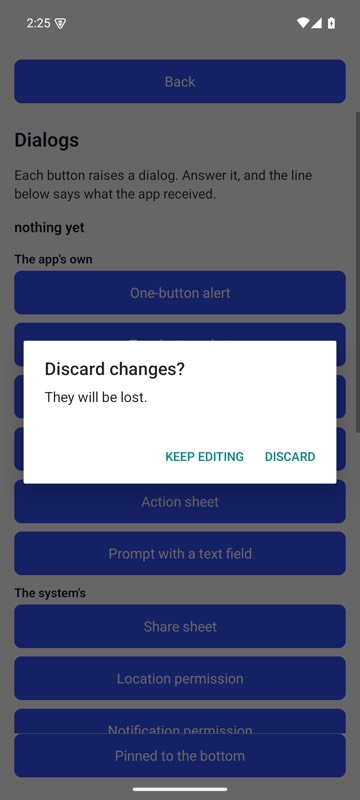 | 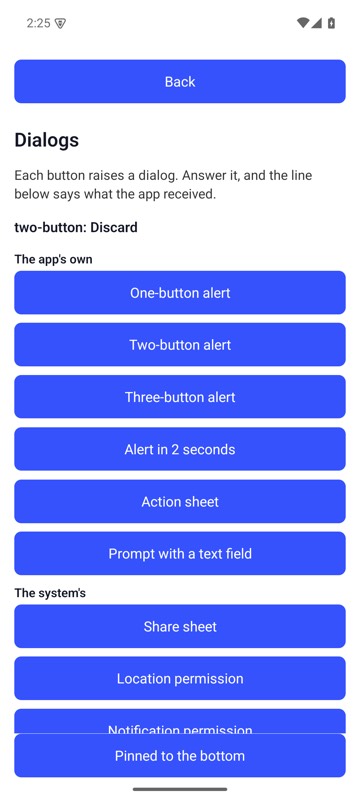 |
mobium alert accept on an Android 15 emulator
More examples
Fill a prompt's field and accept it, in one call
device.answer_alert(True, text="Groceries")