keyboard
This tool on every surface: CLI · MCP · Python · JavaScript · Go · Java · .NET
The soft keyboard: whether it is up and which field has focus, typing at that field's cursor, pressing a named key, or hiding it. These call app_keyboard.
keyboard
def keyboard(text: str | None=None, key: str | None=None, hide: bool=False) -> dict
The soft keyboard: read it, type at the focused field, press a key, or hide it.
With no arguments, returns whether it is shown and the focused
field (id, kind, value — a password's value is never shown). text
is added to the end of the focused field and confirmed by reading it
back; key is "enter", "delete" or "space", pressed after any text;
hide hides the keyboard, confirmed, and cannot be combined with the
others. Raises NoSuchElementError when nothing has focus.
Examples
Type into the focused field and press Enter
device.keyboard(text="coffee", key="enter")
The same call from the command line, mobium keyboard --text coffee --key enter, printed on an Android 15 emulator:
typed "coffee" into username, which now holds coffee; the keyboard is hidden
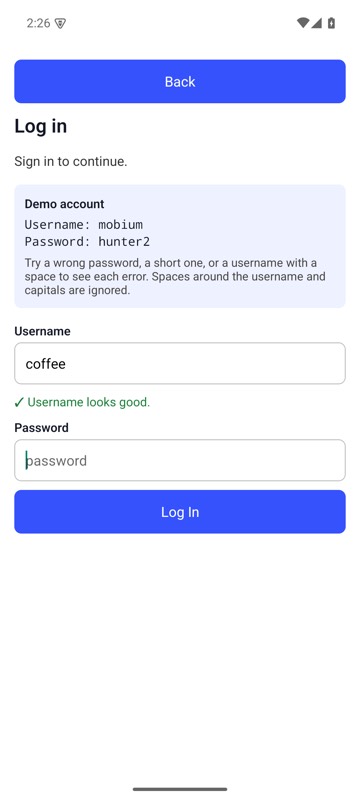
mobium keyboard --text coffee --key enter on an Android 15 emulator
Hide the keyboard
device.keyboard(hide=True)
The same call from the command line, mobium keyboard --hide, printed on an Android 15 emulator:
hid the keyboard
| Before | After |
|---|---|
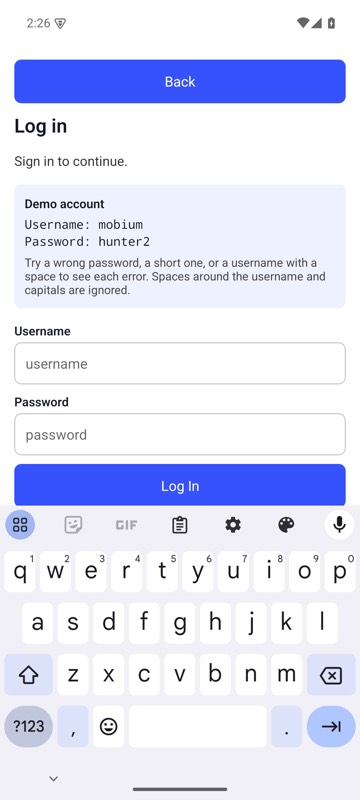 | 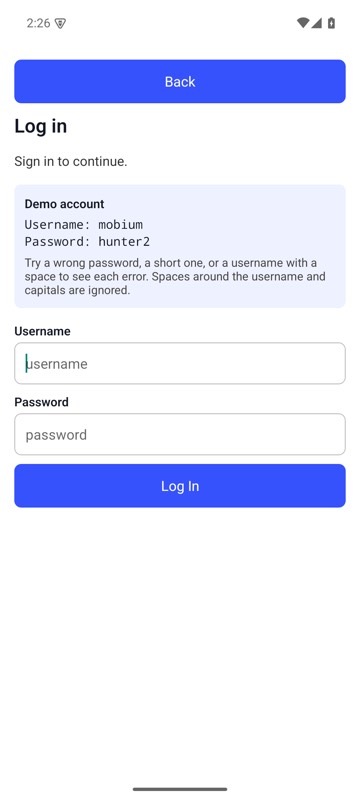 |
mobium keyboard --hide on an Android 15 emulator